In the digital world, visibility is everything. You can create the best website design, write the most compelling content, and invest heavily in paid campaigns, but if search engines cannot properly crawl and index your website, it will remain invisible to potential customers. This is where Technical SEO comes into play.
Technical SEO forms the invisible backbone of every successful website. It ensures that your website is not only attractive to visitors but also accessible and understandable to search engines like Google and Bing. When done right, it helps your content appear faster and more accurately in search results. But when ignored, it can cause pages to disappear, rankings to drop, and traffic to decline.
Among the most common technical SEO problems faced by businesses today are crawl errors and indexing issues. These hidden problems can silently undermine even the strongest SEO campaigns. They prevent search engines from reading your site correctly, stop new pages from appearing in search results, and sometimes even cause previously indexed pages to vanish altogether.
In this in-depth guide, SIRSTEVEHQ explains everything you need to know about crawl and indexing issues, why they occur, how to find them, and how to fix them effectively. We’ll also explore how your hosting environment influences crawlability and provide a detailed technical checklist that ensures your site remains visible and optimized.
Understanding the Foundation: What is Technical SEO?
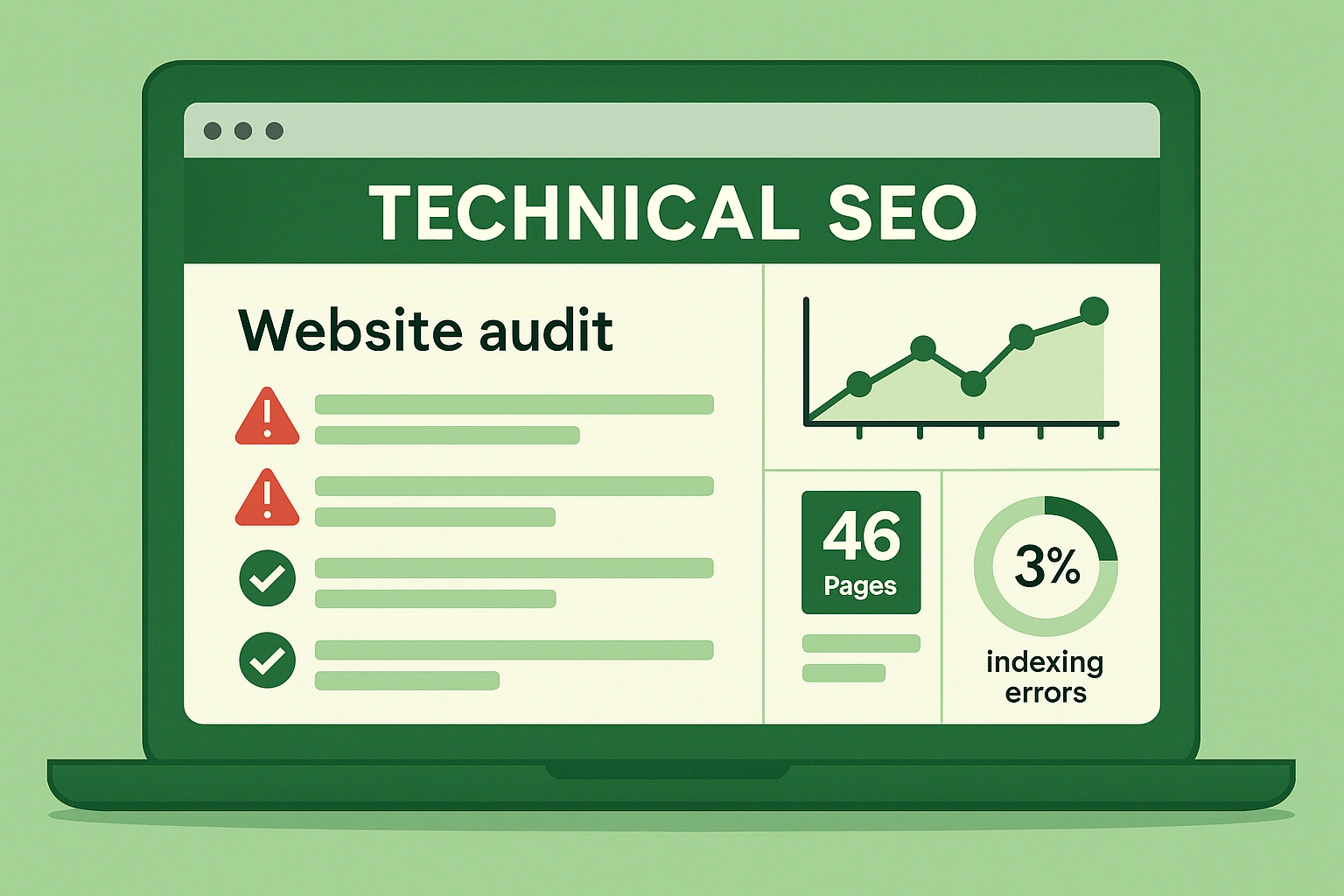
Technical SEO refers to the optimization of your website’s infrastructure. It focuses on how well search engines can access, interpret, and store the information on your website. Unlike on-page SEO (which focuses on content) or off-page SEO (which focuses on backlinks), technical SEO ensures that your website’s foundation supports all other optimization efforts.
Think of your website as a house. The content is your furniture, the design is your decor, but the technical SEO is the foundation and wiring. If the foundation is weak, the whole structure will fail, no matter how beautiful it looks on the surface.
The major components of technical SEO include:
- Website architecture and URL structure
- Site speed and performance
- Crawlability and indexability
- Mobile optimization
- Secure HTTPS setup
- XML sitemaps
- Robots.txt configuration
- Canonicalization
- Structured data markup
- Error handling and redirects
Each of these components plays a role in determining how search engines view and rank your website. Among them, crawlability and indexability are the most critical because they directly determine whether your pages even appear in search results.
Crawl Errors vs Indexing Issues: The Difference
Crawl errors occur when search engine bots, such as Googlebot, attempt to access a page on your site but cannot retrieve it successfully. This might happen because of broken links, server downtime, or blocked resources.
Indexing issues occur when Google can crawl your pages but decides not to include them in its index. This could be due to duplicated content, poor structure, or intentional noindex directives.
In simpler terms, crawling is like search engines exploring your website, while indexing is like them filing your pages into their search library. Both are essential for visibility. If crawling fails, indexing cannot happen. And if indexing is incomplete, your content will never appear in search results.
Why Crawl and Indexing Problems Harm Your SEO
Crawl and indexing issues can damage your site in several ways. First, they prevent new or updated content from being discovered. If your latest product pages or blog posts aren’t crawled, they won’t show up on Google, no matter how optimized they are.
Second, these issues waste what’s known as your crawl budget. Every site has a crawl budget, which is the number of pages Googlebot will crawl during each visit. If that budget is spent crawling error pages or irrelevant URLs, your important pages may be skipped.
Third, persistent crawl errors signal to search engines that your site is poorly maintained. Over time, this can reduce your site’s authority and lower your rankings.
At SIRSTEVEHQ, we often see these issues linked to poor hosting performance or misconfigured servers, which is why choosing reliable and SEO-friendly hosting infrastructure is one of the most critical technical SEO decisions you can make.
Step-by-Step Technical SEO Checklist for Fixing Crawl and Indexing Issues
Now that you understand the importance of crawlability and indexability, let’s walk through the complete checklist to diagnose and fix these issues.
1. Analyze Crawl Data in Google Search Console
The first and most essential tool for diagnosing crawl and indexing issues is Google Search Console (GSC).
Once you’ve verified your website, go to the “Pages” section under the “Indexing” tab. You’ll find a breakdown of:
- Pages that are indexed and appearing in search results
- Pages excluded from indexing
- URLs with crawl errors or redirects
- Pages blocked by robots.txt
- Pages marked as noindex
Each section tells a story about how Google views your site. Pay close attention to excluded pages and those labeled “Crawled – currently not indexed.” These are the ones that may be slowing your site’s overall visibility.
For example, if your website has hundreds of duplicate URLs or parameter-based pages (like ?color=red or ?sort=price), Google might choose not to index them. While that’s sometimes intentional, it can also mean valuable content isn’t being recognized.
2. Check for Server and Connectivity Issues
Crawl errors often stem from unstable servers or poor hosting performance. If your server frequently times out, Googlebot may abandon its crawl attempt.
To prevent this, monitor your server logs to identify any 5xx (server) errors or frequent downtime. These signals tell you that your hosting might not be handling requests efficiently.
At SIRSTEVEHQ, our web hosting infrastructure is optimized for uptime and stability. With 99.9% uptime and solid-state storage (SSD), we ensure that search engine crawlers always find your site accessible and responsive.
If you’re seeing “Server Error (5xx)” messages in Google Search Console, that’s your cue to investigate immediately. Even short periods of downtime can interrupt crawling.
3. Review Your Robots.txt File
Your robots.txt file tells search engines which parts of your website they’re allowed to crawl. A single misconfiguration in this file can block entire sections of your website from being crawled or indexed.
To check yours, visit yourdomain.com/robots.txt. Look for any “Disallow” directives that might be preventing access to important pages.
For example, this line:
Disallow: /
blocks all crawlers from your entire website, while:
Disallow: /wp-admin/
correctly blocks only administrative pages.
Make sure your sitemap is also included at the bottom of your robots.txt file, like this:
Sitemap: https://www.yourdomain.com/sitemap.xml
A clean, well-structured robots.txt file helps search engines navigate your site efficiently.
4. Audit and Repair Broken Links
Broken links are one of the most common causes of crawl errors. When a crawler encounters a link that leads to a 404 error, it wastes crawl budget and diminishes your site’s authority.
You can identify broken links using tools like Ahrefs, Screaming Frog SEO Spider, or even free online link checkers.
Once you’ve identified broken internal links, fix them by updating the URLs or implementing proper redirects. For external broken links, consider removing them or replacing them with updated resources.
Redirects should always use the 301 status code for permanent changes. Avoid chaining multiple redirects together, as this can slow down crawling and confuse search engines.
5. Optimize and Submit Your XML Sitemap
Your XML sitemap serves as a map that tells search engines where your most important pages are located. It should contain only clean, canonical URLs that you actually want indexed.
Here’s what to check:
- Remove any URLs that lead to 404 pages, redirects, or noindex pages.
- Ensure your sitemap updates automatically when you publish new content.
- Submit your sitemap to Google Search Console under the “Sitemaps” tab.
If you’re using WordPress, plugins like Yoast SEO or Rank Math automatically generate and update sitemaps.
For SIRSTEVEHQ customers, our hosting platform fully supports auto-generated XML sitemaps for multiple CMS platforms, ensuring Google always sees your freshest content.
6. Identify and Correct Noindex and Canonical Issues
Sometimes pages are accidentally excluded from search results because of incorrect meta tags or canonical settings.
A noindex tag instructs search engines not to include a page in their index. While useful for internal or thank-you pages, it’s problematic when applied unintentionally to key pages like product listings or blog posts.
Canonical tags, meanwhile, tell search engines which version of a page is preferred when duplicates exist. Misconfigured canonical tags can cause search engines to ignore entire sections of your site.
Use a crawling tool to inspect your meta tags and verify that only necessary pages use noindex, and that canonical tags correctly point to the right versions of pages.
7. Improve Site Speed and Hosting Quality
Site speed directly affects both user experience and crawl efficiency. Google allocates more crawl resources to websites that load quickly. If your site is slow, Googlebot may crawl fewer pages per session.
To measure your performance, use Google PageSpeed Insights or GTmetrix. Pay close attention to metrics like Time to First Byte (TTFB) and Largest Contentful Paint (LCP).
Slow sites often suffer from:
- Overloaded servers
- Large image files
- Poor caching setups
- Unoptimized code
SIRSTEVEHQ hosting is built for performance. With 100% SSD storage, integrated caching, and global CDN distribution, your site will load faster and more consistently across all regions. A fast site isn’t just good for SEO — it also enhances customer satisfaction and conversion rates.
8. Review Redirects and Avoid Redirect Loops
Redirects help maintain your SEO equity when URLs change, but misconfigured redirects can cause endless loops or lead crawlers in circles.
For example, a URL that redirects from Page A → Page B → Page A will confuse both users and bots, resulting in crawl errors.
To fix this, review your redirect chains and ensure that each old URL leads directly to its final destination.
Proper redirect management preserves link equity and ensures search engines always land on the correct version of your content.
9. Ensure Mobile Optimization and Responsiveness
Google uses mobile-first indexing, meaning it primarily looks at the mobile version of your site for ranking and indexing. If your mobile site is incomplete or poorly optimized, it can hurt your visibility.
Test your website using Google’s Mobile-Friendly Test tool. Make sure all content is visible and usable on smaller screens, and avoid intrusive pop-ups or poorly scaled images.
A well-optimized mobile site not only helps with SEO but also improves user engagement and retention.
10. Monitor and Maintain Index Coverage Regularly
Technical SEO isn’t a one-time fix. Websites evolve, URLs change, and new content is added frequently. That’s why ongoing monitoring is critical.
Check your Google Search Console at least once a month to review:
- New excluded pages
- Crawl anomalies
- Sudden drops in indexed content
Set up email alerts to be notified of sudden spikes in errors. This helps you act fast before issues affect your rankings.
The Role of Hosting in Crawl Efficiency
Your hosting environment plays a far greater role in SEO than many realize. Search engines favor websites that are stable, secure, and fast.
A poor-quality hosting provider can cause intermittent downtime, slow response times, and unstable connections — all of which lead to crawl errors and lower rankings.
At SIRSTEVEHQ, our hosting servers are optimized for SEO performance. With high uptime reliability, built-in DDoS protection, and global CDN acceleration, we ensure that your site remains consistently accessible to search engines and users alike.
We also provide advanced caching layers, SSL certificates, and security monitoring to maintain a healthy crawl environment for your website.
Common Mistakes to Avoid in Technical SEO
Even experienced webmasters make technical SEO mistakes that harm crawlability. Some of the most frequent errors include:
- Blocking CSS or JavaScript in robots.txt, preventing Google from rendering pages properly.
- Overusing redirects or temporary (302) redirects.
- Having duplicate versions of your site (with and without “www” or “https”).
- Forgetting to submit updated sitemaps after major website changes.
- Leaving orphan pages with no internal links.
Each of these mistakes can silently impact your SEO performance. Regular audits help you catch and fix them before they become major issues.
Related Reading on SIRSTEVEHQ Blog
If you’re interested in improving your website performance and search visibility, explore these related articles from our SIRSTEVEHQ Blog:
These resources complement your understanding of technical optimization, hosting performance, and how both influence your business success online.
Conclusion
Crawl errors and indexing issues are silent SEO killers. They don’t make noise like broken designs or obvious bugs, but their impact is deep and lasting. A page that search engines can’t crawl or index might as well not exist at all.
By following this technical SEO checklist, you’re not just fixing errors; you’re strengthening the foundation of your entire website. You’re ensuring that your content is visible, your links are working, and your hosting is performing at peak efficiency.
At SIRSTEVEHQ, we understand that speed, uptime, and technical stability are the cornerstones of good SEO. That’s why our hosting solutions are built with SEO performance in mind — giving you reliable speed, high availability, and the tools to stay ahead in search rankings.
















Comments (0)
No comments yet. Be the first to comment!