If you run a WooCommerce store or hosting a WordPress site where you need to import and export data WP All Import is a widely used tool to managed this. It can be frustrating when the crons you set-up are failing.
There are a few reasons why WP All Import cron jobs/scheduled tasks may fail to run. The methods below will optimise the crons so that they should always run successfully and at the desired time.
Switch the standard HTTP method to PHP-CGI
WP All Import uses HTTP GET calls to perform the import process which can cause imports to time out after 5 minutes. We'd recommend optimising the method used to perform the import by switching to use the PHP command line. That way the crons have a much longer timeout and can do all the hard work in the process itself; all while avoiding the HTTP timeout.
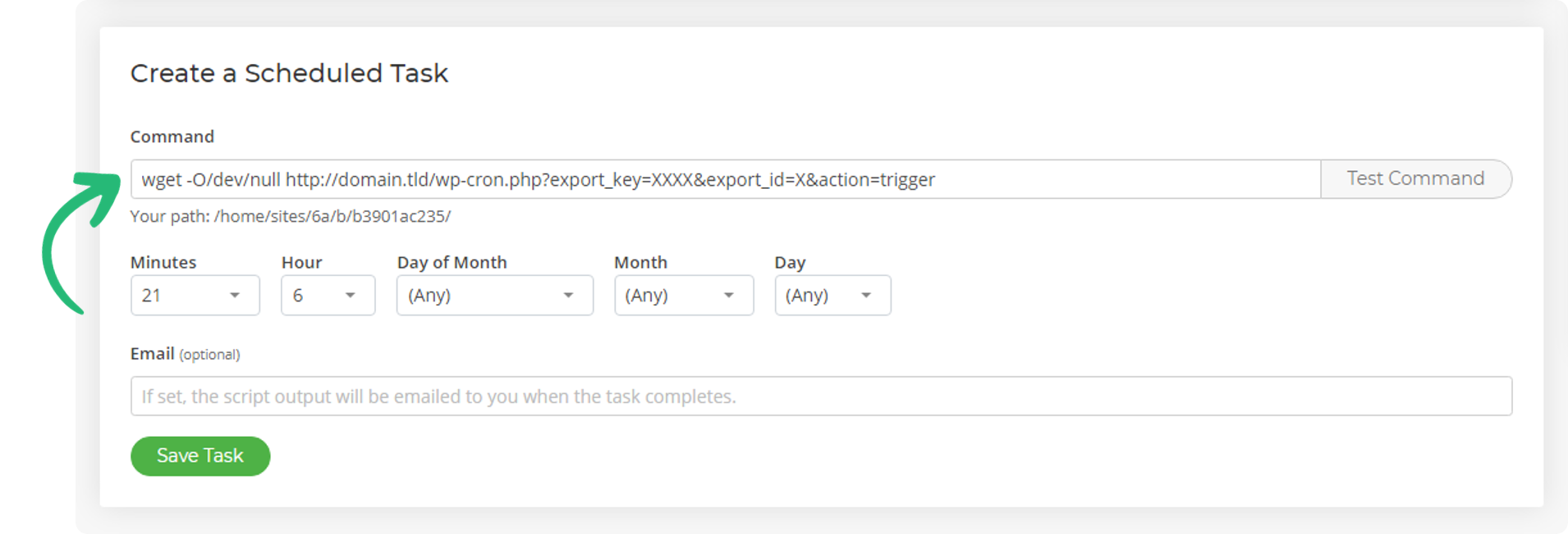
To do this, you can add your cron jobs using the following structure (i.e. a WGET) and we'll handle the rest for you.
wget -O/dev/null http://domain.tld/wp-cron.php?export_key=XXXX&export_id=X&action=triggerWithin Scheduled Tasks in your SIRSTEVEHQ CP account, you'd add/adjust your cron to use WGET.
Don't run the trigger and processing crons at the same time
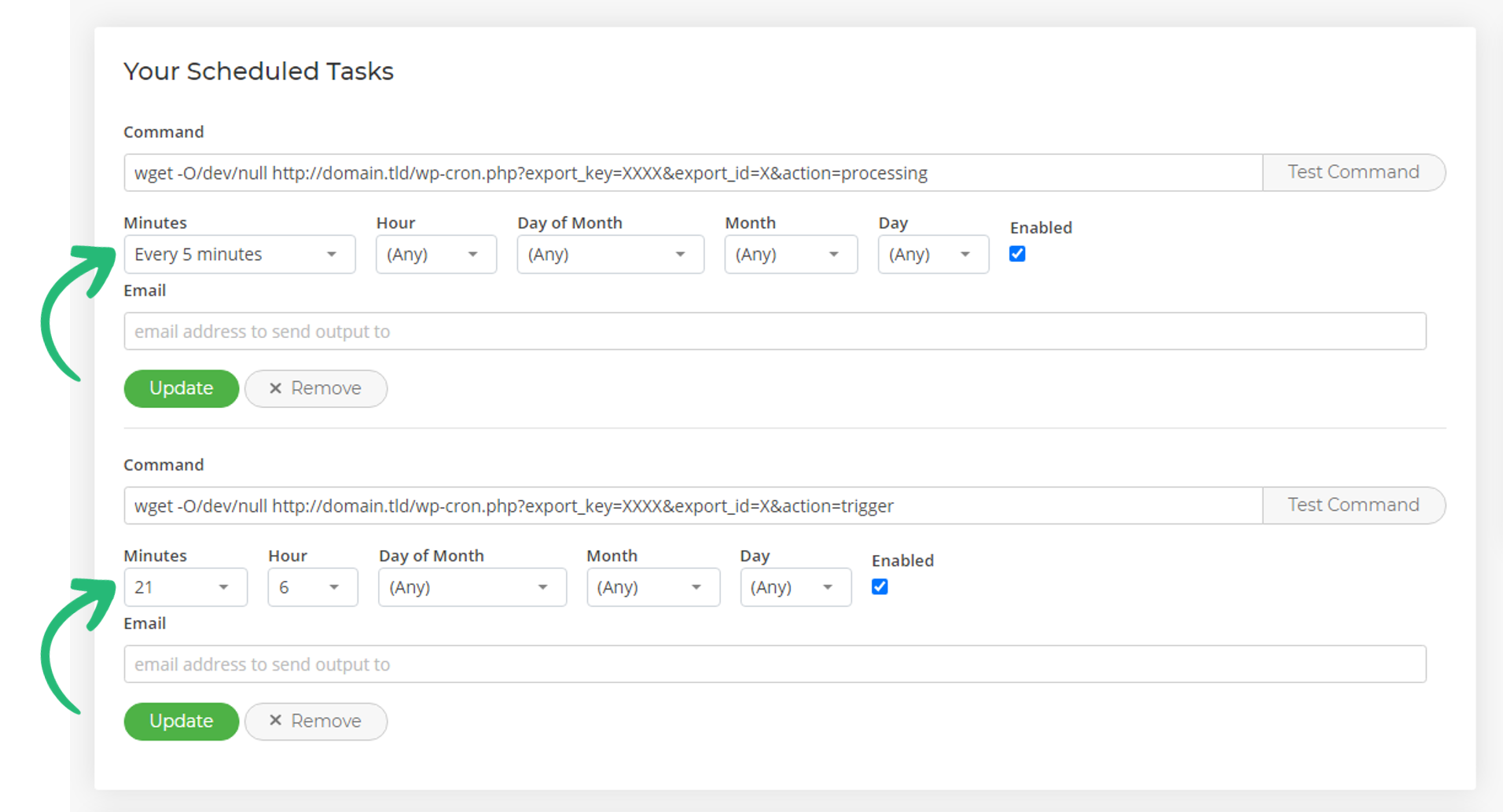
For example, if you run the processing cron every 5 minutes, don't perform a trigger on the hour, perform the trigger a 2 minutes past the hour to avoid collisions and job locking. The example below shows the trigger and processing crons in place, but timed so that they'll never run at the same time.
Ensuring these two optimisations are in place should ensure that WP All Import scheduled tasks complete successfully every time.












