Introduction
A typical MySQL database is comprised of several components. Out of them - the table is the most important one since it keeps all the data organized. Each database consists of one or more tables and each table is represented by rows and columns. You can imagine the table like a grid - the columns go from left to right and each piece of data is listed down in a row.
Occasionally, a MySQL database can crash or become corrupted resulting in the same being inefficient or even returning errors when queries are made. To fix a broken or corrupted database typically a repair procedure should take place. As we offer WHM based web hosting solutions, we will be discussing the way you can do this from the WHM control panel. The feature we are going to talk about is the “Repair a MySQL Database”. Let’s get started.
Accessing the Repair a MySQL Database feature
First, you need to log into the WHM service for your VPS or Dedicated Server. If you are not sure how to do that, please check our How to access the WHM service tutorial. After you have logged in, please use the search bar on the left side of the page and type “Repair a MySQL Database”.
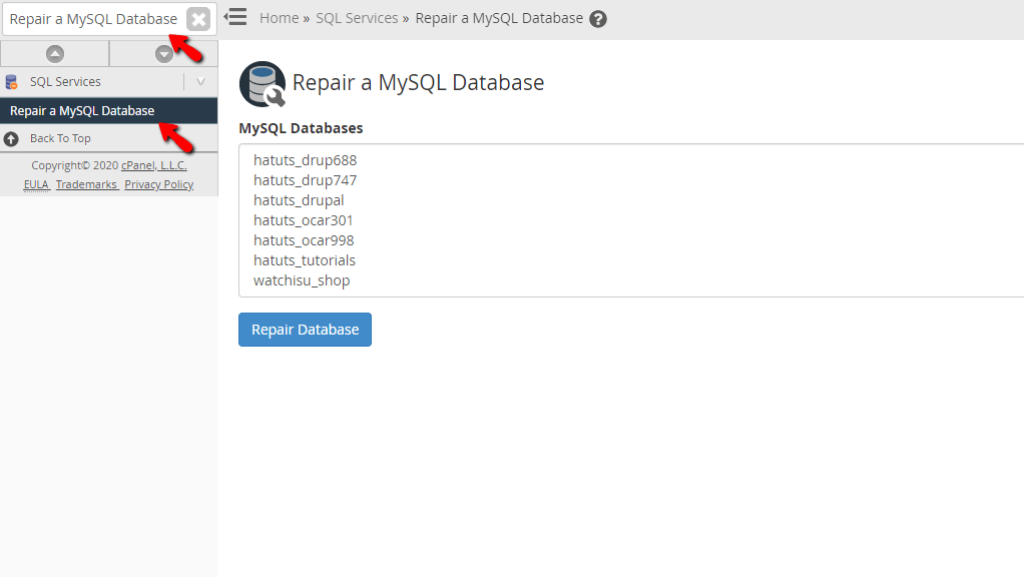
When the functionality shows up below the search bar, please click on it so you can be sent to the “Repair a MySQL Database” page.
Repairing a MySQL Database
When you land on the “Repair a MySQL Database” page, you will see a content box. Inside, you will find all of the databases on the server. Underneath the content box, you will see the “Repair Database” button.
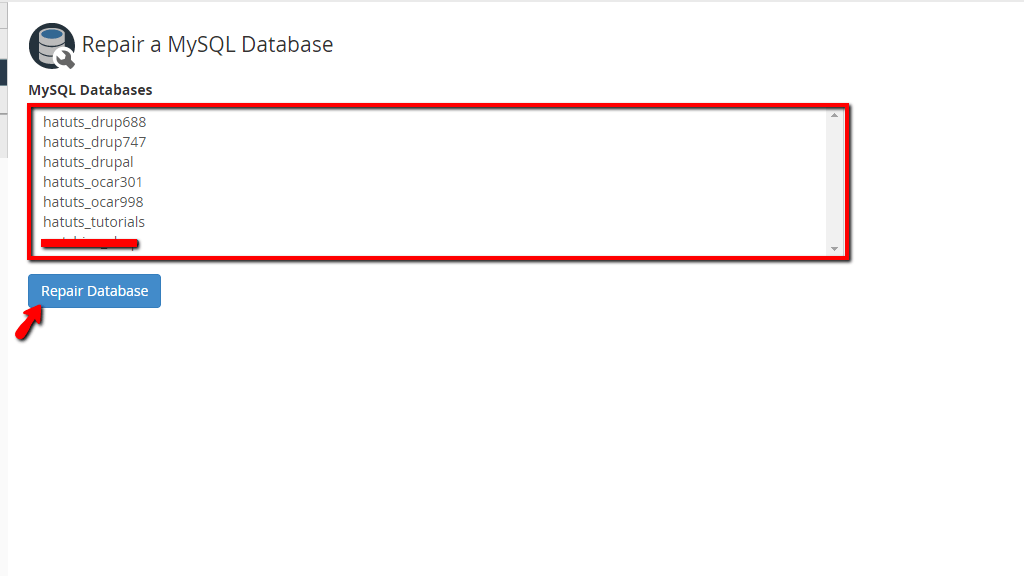
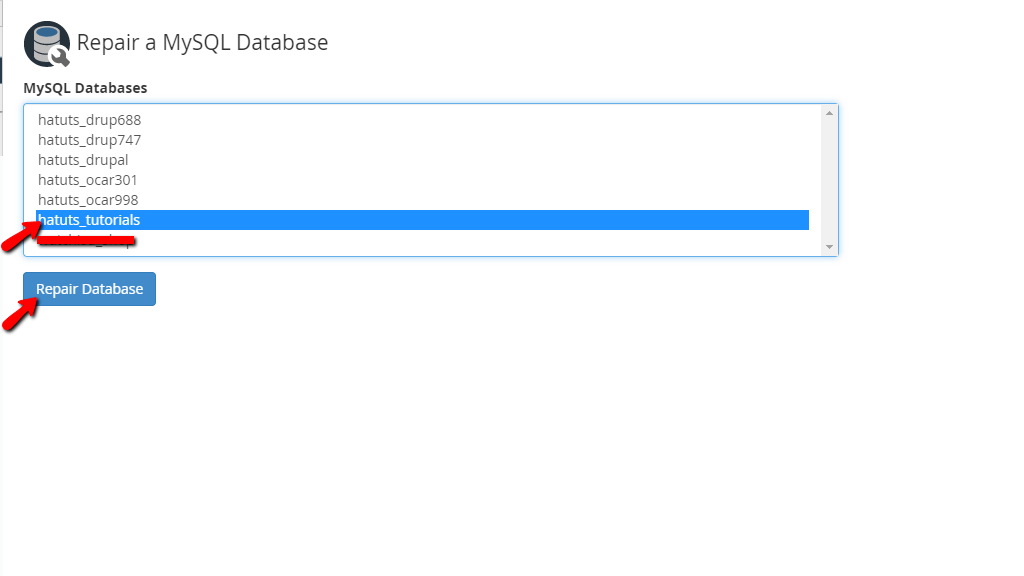
In order to repair a database, please select it from the content box by clicking on it. This will highlight the database in blue. Afterward, please press the “Repair Database” button located below the content box.
Upon pressing the button you will be redirected to the repair screen and you will see the outcome of the repair process. If went correctly, you should see the “Done” message.
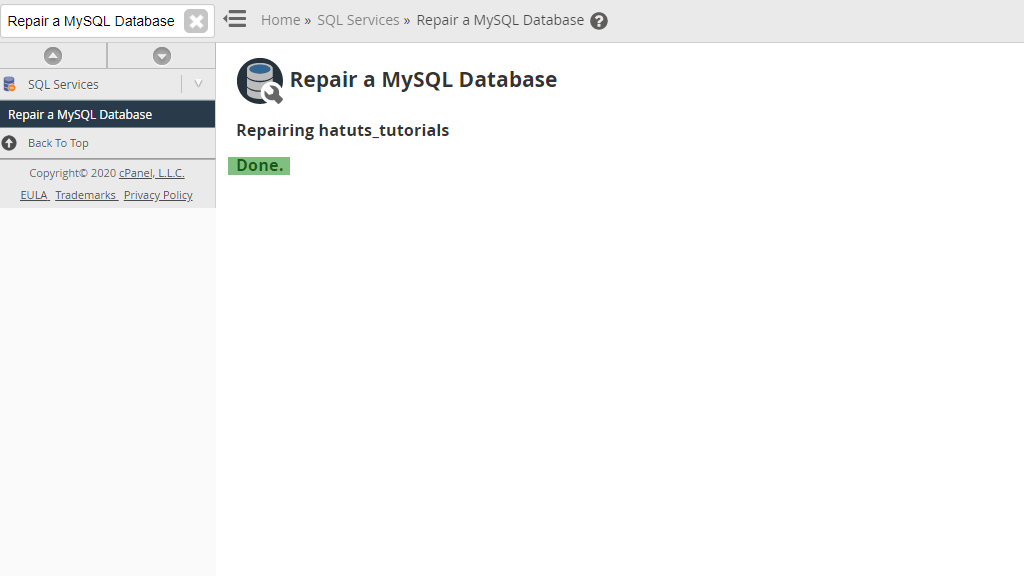
There you have it! The way you may use the “Repair a MySQL Database” feature in the WHM control panel in order to repair one of your databases. This is arguably the most simple functionality to use and you should have no issues whatsoever with it. However, if you come across any problems while using it, please contact our Support Team immediately. They are reachable 24/7 over the ticketing system in your Client Area.












