Introduction
Ezoic is a popular platform for ad distribution and traffic monetization. It uses AI and machine learning to generate programmatic ads and serve each visitor unique ads based on their preference. This technology improves UX and gives the website a more polished look. Furthermore, Ezoic also uses performance-enhancing tools, such as CDN and caching, to improve the website loading speed, performance, and stability.
For more in-depth information about what exactly Ezoic does and how it works, we recommend going over our tutorials on How does Ezoic work and Ezoic's advantages over other platforms for monetization.
This tutorial will cover step-by-step instructions on how to register on Ezoic. Hopefully, it will give you the confidence you missed before signing up and trying Ezoic! We are sure you won't regret it.
Getting Started
To start the Ezoic sign-up process, please visit their website: ezoic.com, by opening a new browser tab and typing "ezoic.com" in the search bar.
Once the Ezoic website opens, please follow the step below:
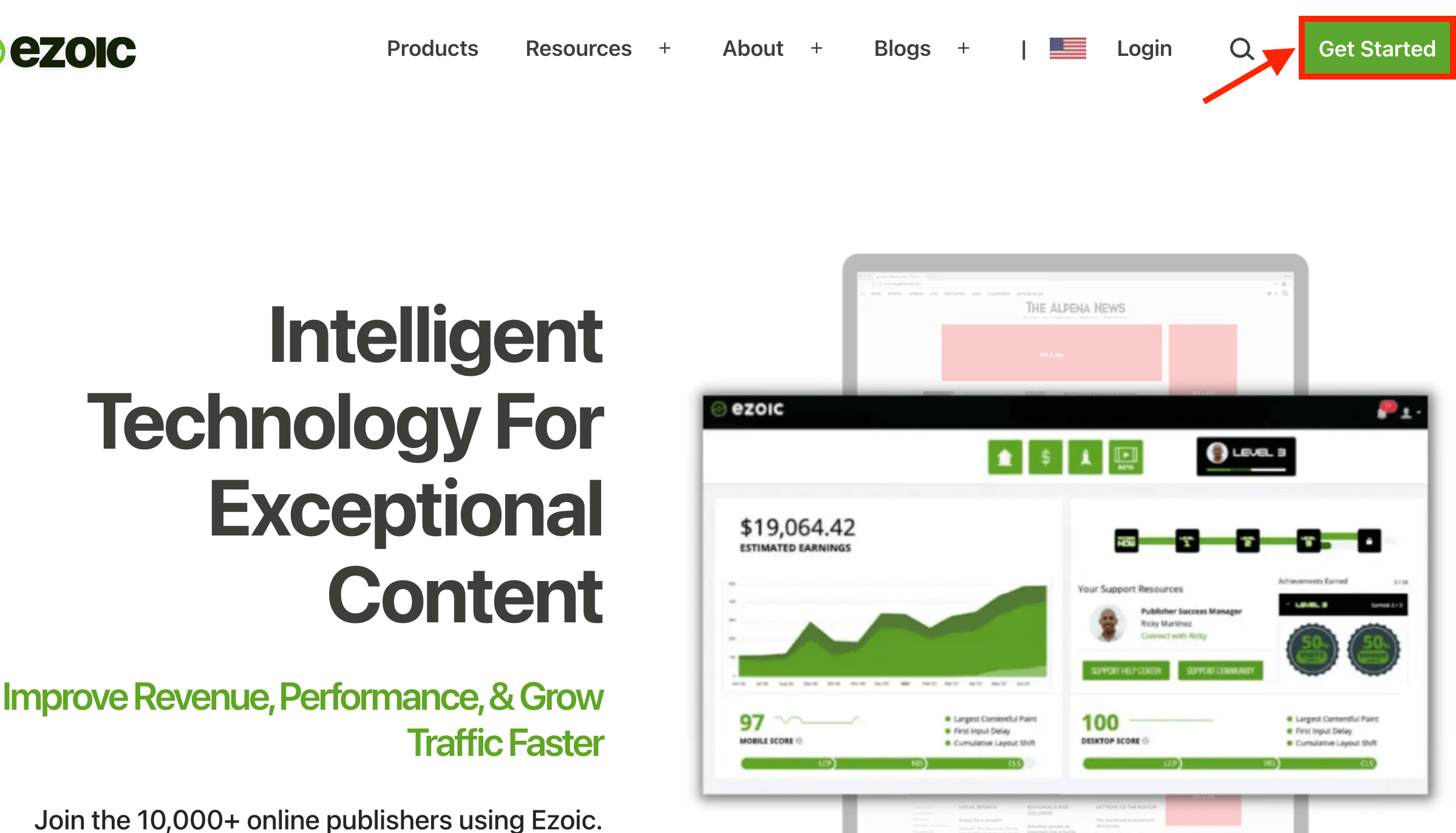
Step 1: Please click the "Get Started" button in the top right corner of the Ezoic homepage.
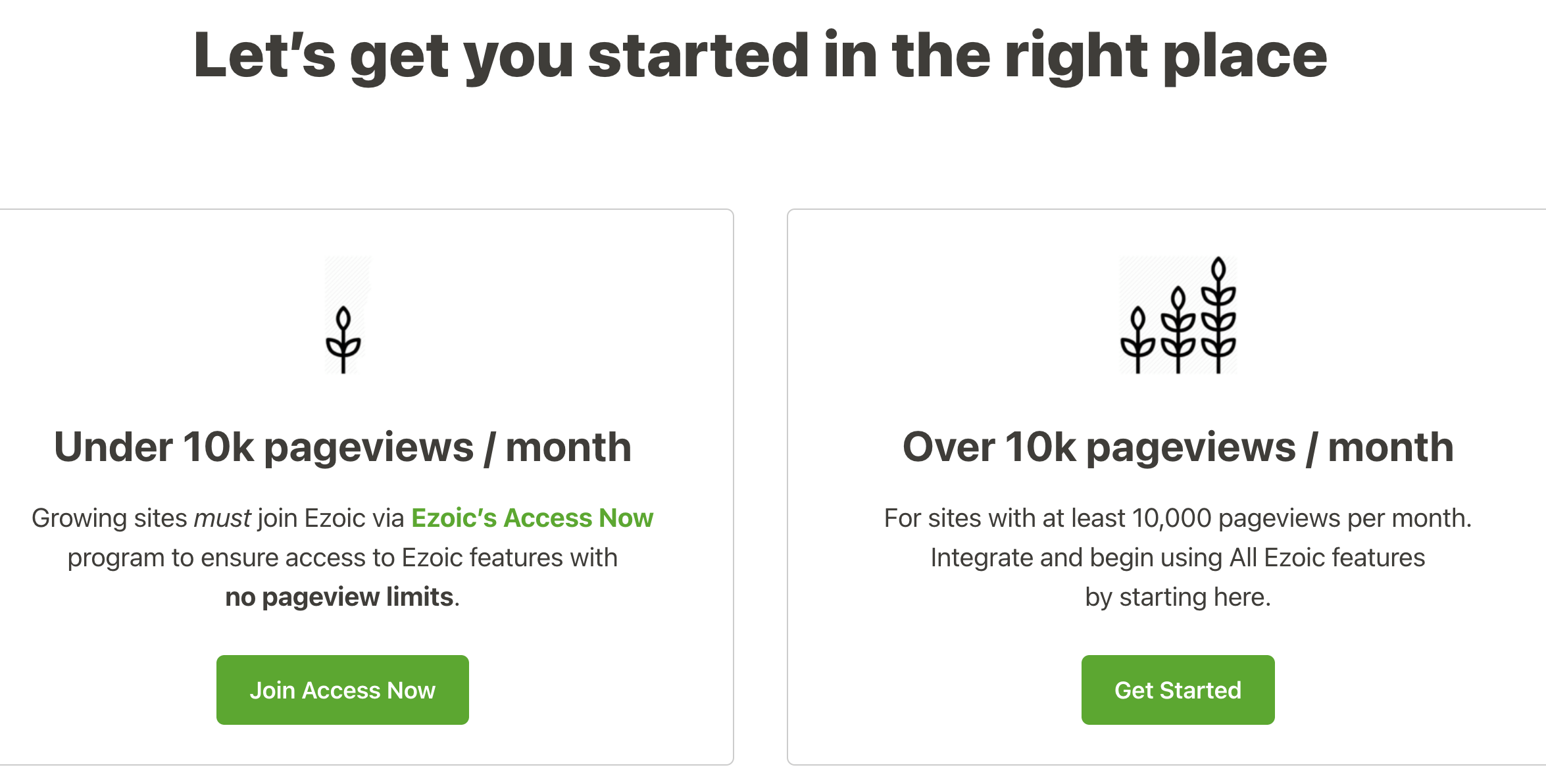
Step 2: After clicking the "Get Started" button, you will be redirected to a page presenting you with two choices based on the website's current traffic - "Under 10k pageviews/month" and "Under 10k pageviews/month". Please select the category in which your website falls by pressing the "Join Access Now" if your website has under 10,000 views and the "Get Started" button if the website has over 10 000 views.
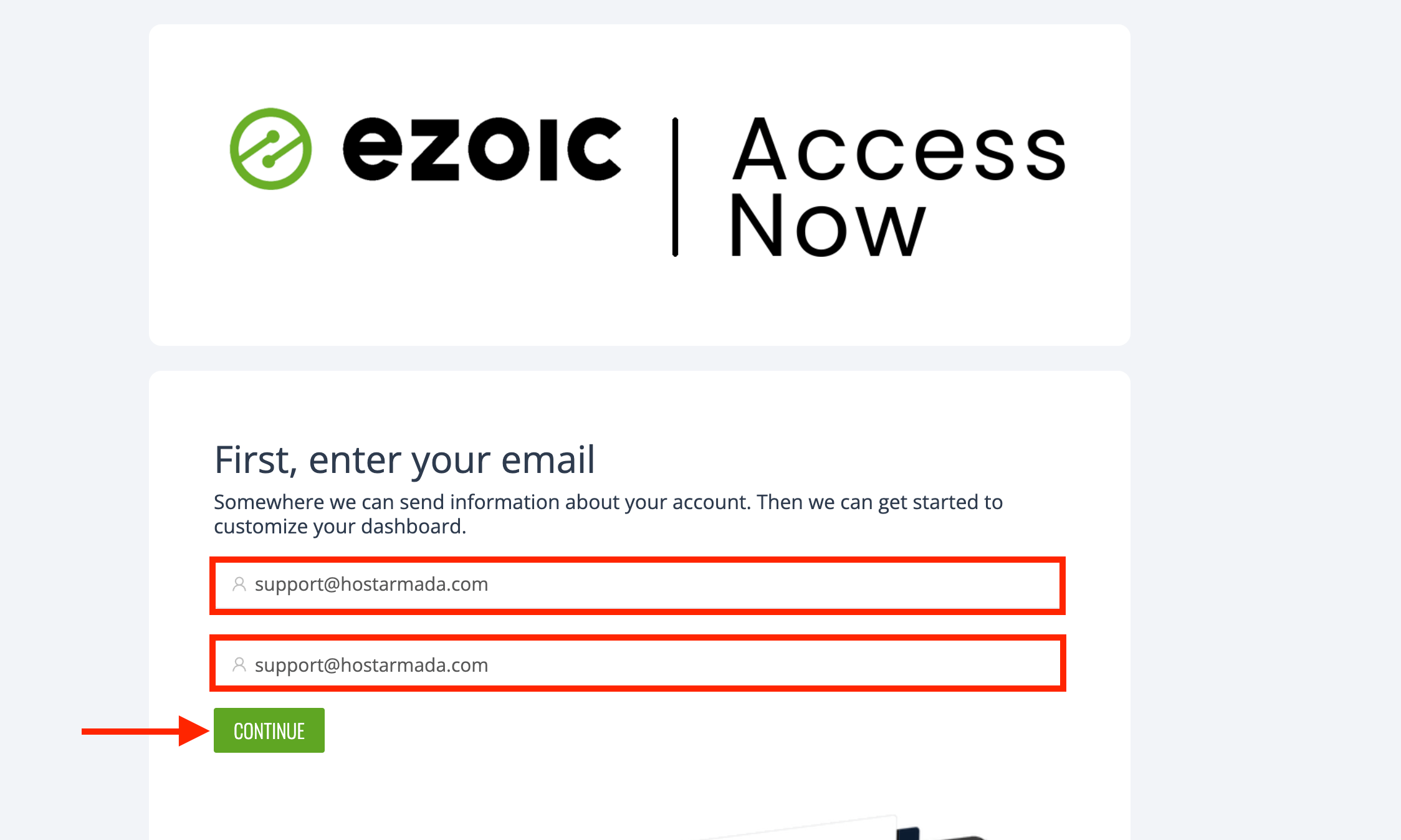
Step 3: When you select the category, the browser will open a new tab, and you will see a brief loading screen. When the page loads, you will be presented with two text fields. Both require you to type in the email account with which you want to associate your Ezoic account, so please do that. When you have typed in the desired email accounts, please click the "Continue" button underneath these text fields.
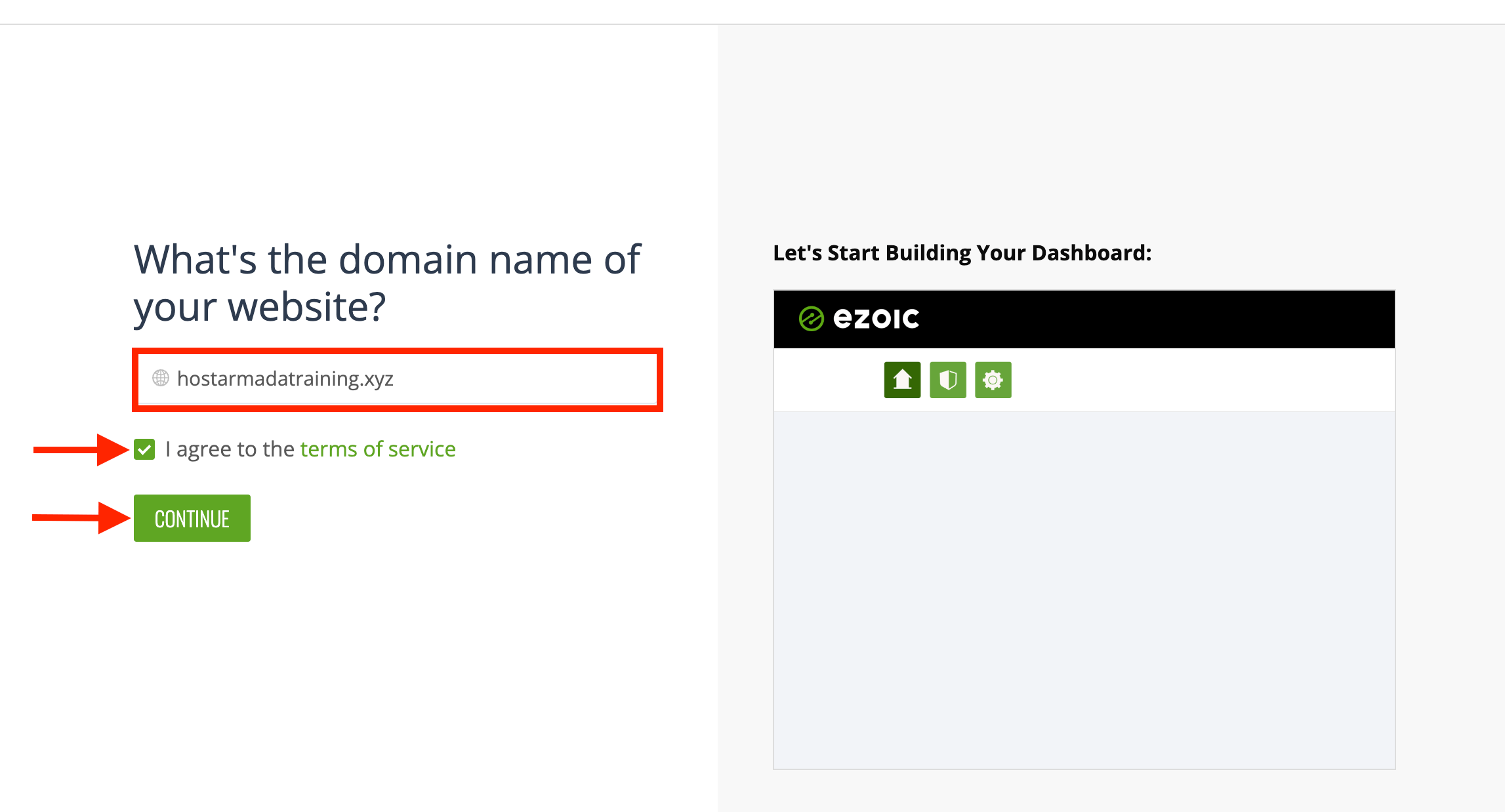
Step 4: When you click the "Continue" button, you will be redirected to the next page of the registration process, requiring you to add your domain name. Please type in your domain inside the text field on the left side of the screen, check the "I agree to the terms of service" and click on the "Continue" button below.
Step 5: Clicking the "Continue" button will take you further into the Ezoic configuration process. On the following page, you will get to select the aspects you want to focus on when integrating Ezoic on your website:
- Ad Revenue
- Site Speed
- Analytics
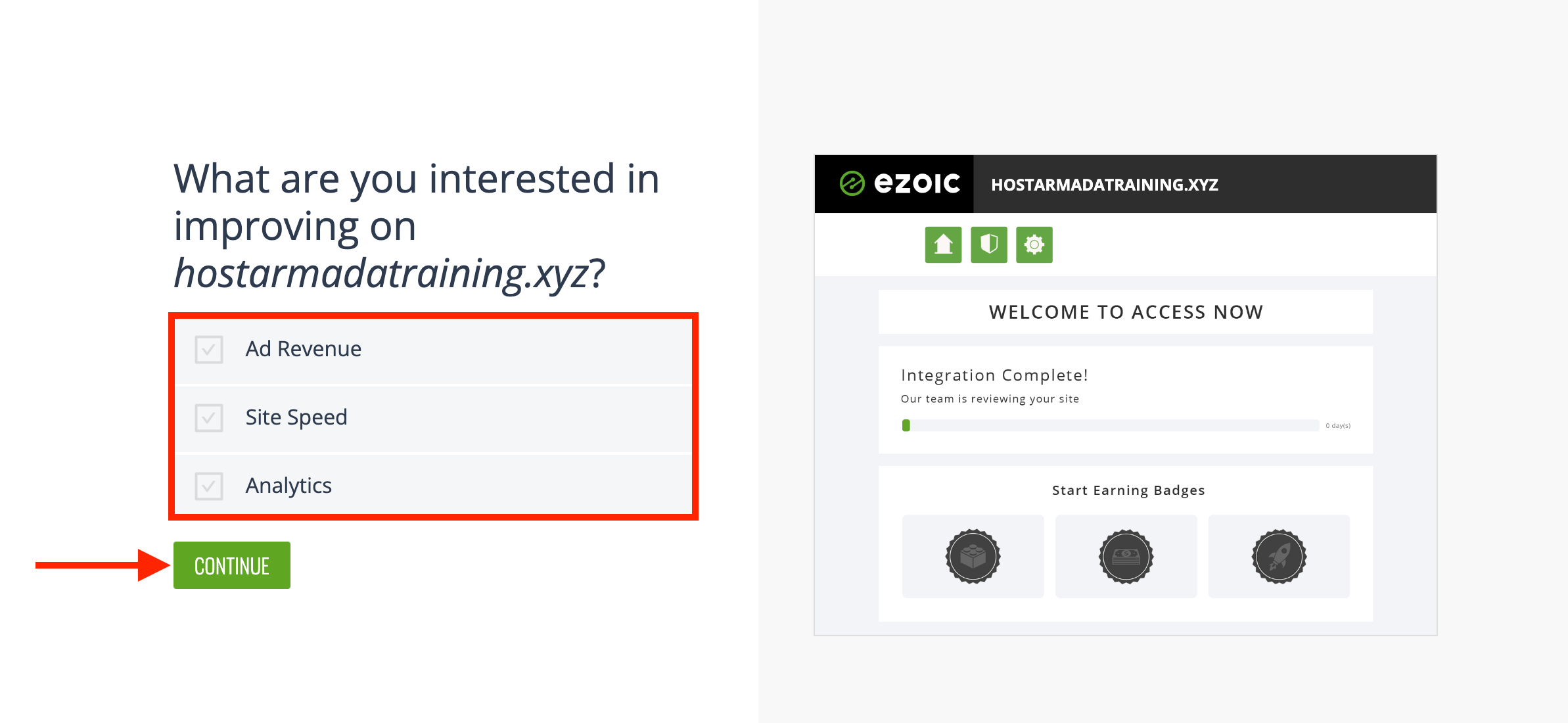
Please put a tickbox on the improvements you want to focus on. Finally, please click on the "Continue" button beneath the checkboxes.
Step 6: The previous action will trigger a loading screen that signifies that Ezoic is preparing your account for use. Once fully loaded, please click the "Get Started" button underneath the "Congratulations! Your Ezoic account is ready." message.
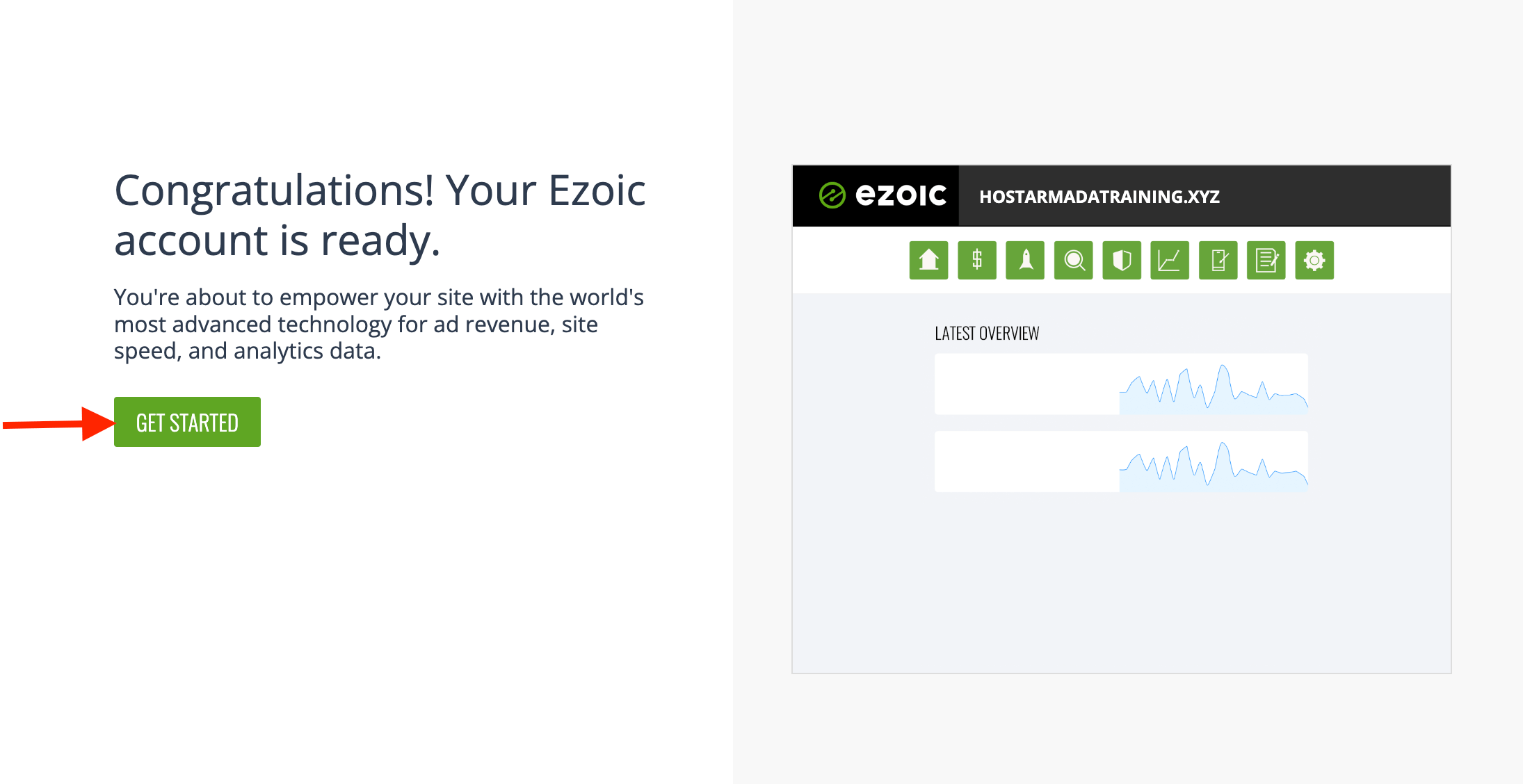
Step 7: Doing so will redirect you to your Ezoic dashboard, ending the registration process. You will also receive a message on your email address from the onboarding theme that will help you get started. If you open the dashboard, you will notice two setup paths - automated and manual.
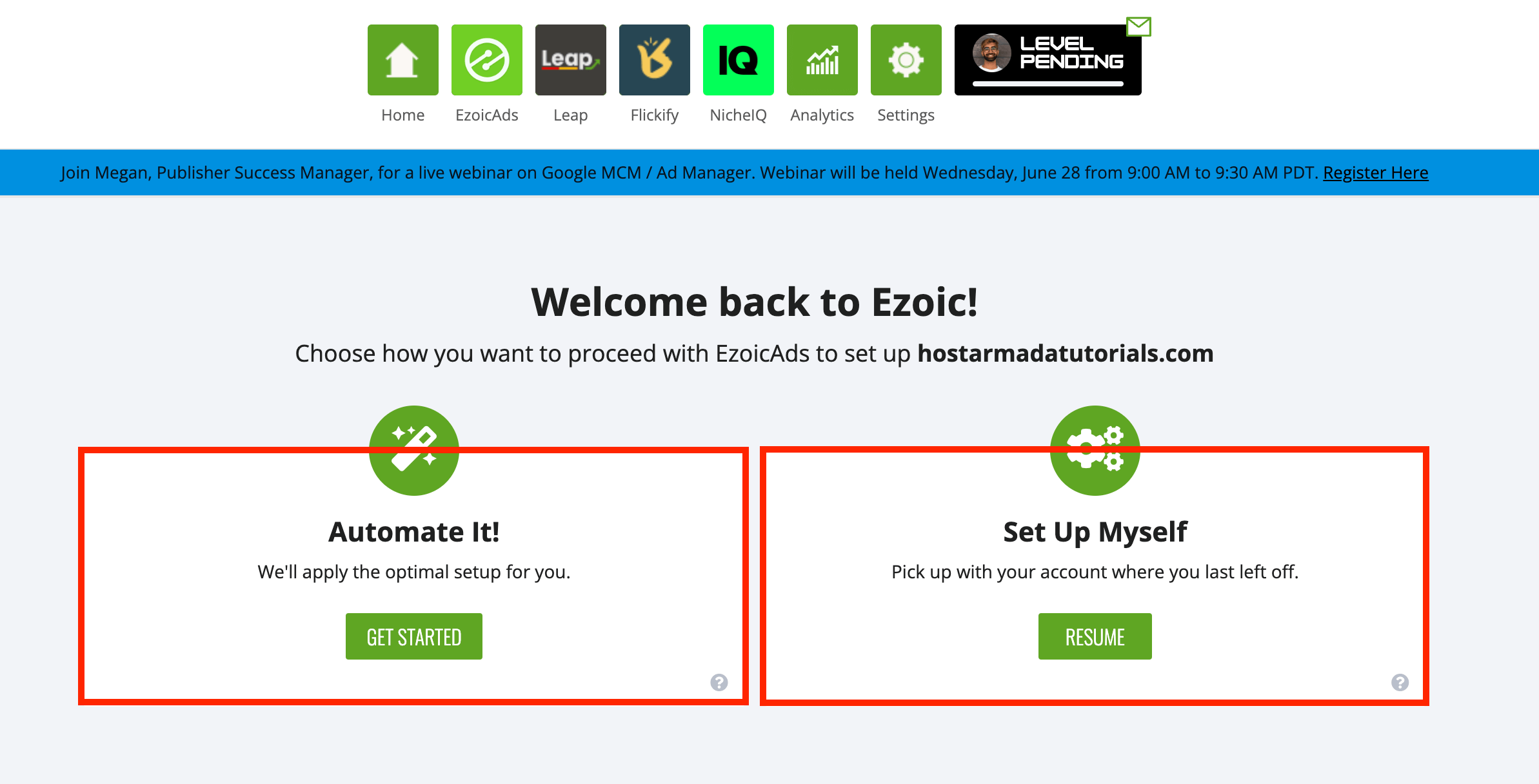
We will discuss each of these setup options in a separate tutorial. Please be sure to check our Ezoic Account Setup tutorial.
Conclusion
As you can see, setting up Ezoic is very straightforward and does not take more than 5 minutes! We hope our instructions were clear, you could quickly get through the process, and you are now ready to proceed with the setup from your Ezoic dashboard.
Be sure to follow our Ezoic tutorial series, where we will cover all things Ezoic!












