Introduction
Managing the suspension of your cPanel accounts in the WHM control panel is a great option to have. Most commonly you would use the “Manage Account Suspension” feature if you notice a website overstepping its usage, which can lead to problems with the rest of your websites on the server. This guide will teach you how to suspend and respectfully unsuspend your cPanel accounts - so, let’s get right into it!
Accessing the Manage Account Suspension functionality
In order to gain access to this tool, you will need to first log into the WHM control panel. If you are not sure how to do that, please check our How to access the WHM service tutorial. After you log in, you will see the default page which lists all of the different categories of features/functionalities WHM has to offer. It may look overwhelming at first, however, do not panic, as we got you covered with everything WHM-related. You will notice a search bar on the left side, where you need to type “Manage Account Suspension” in order to filter everything out and find the functionality you need.
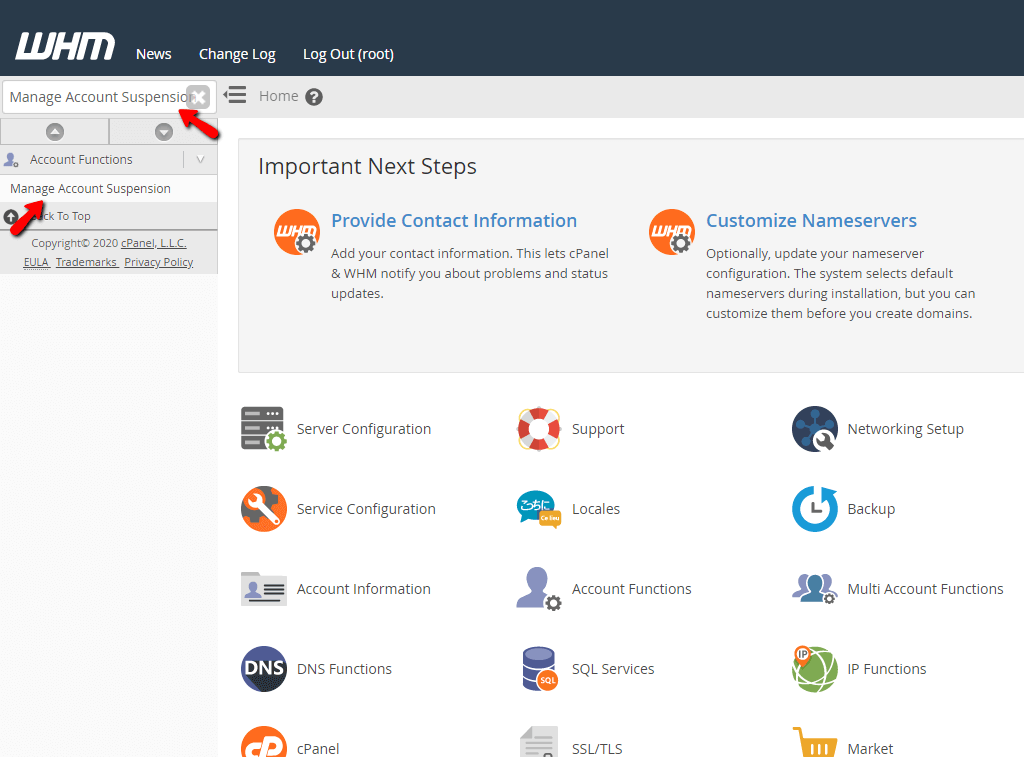
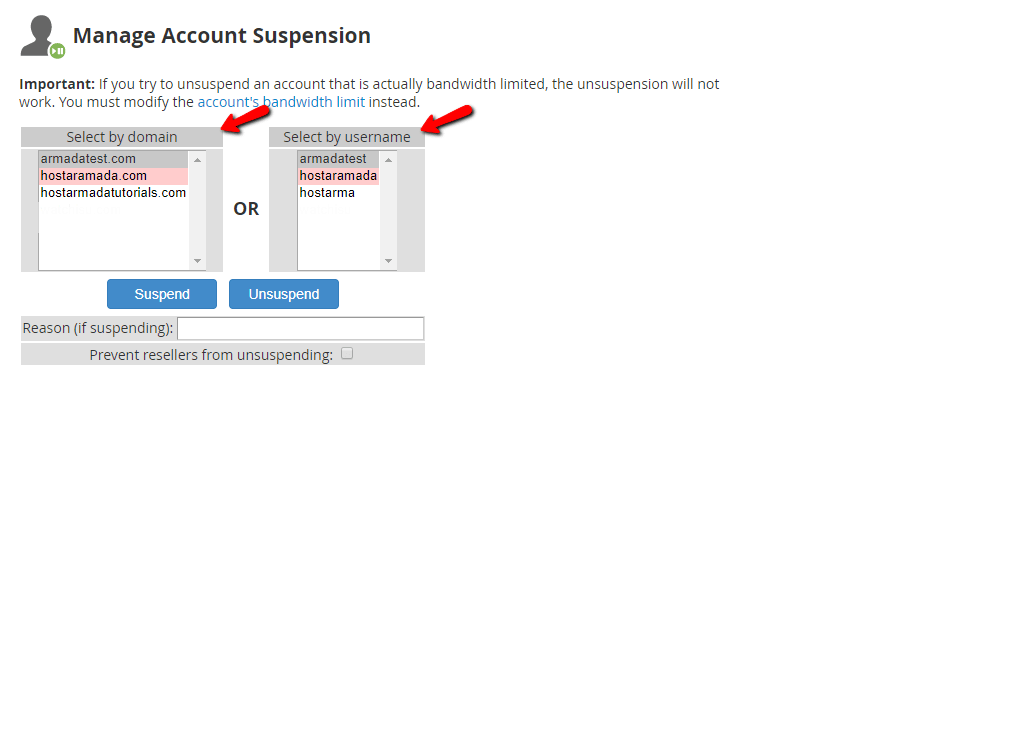
When you click on the link right below the search bar called “Manage Account Suspension” you will be sent to the page where you can start managing the suspension of your cPanel accounts on the server. You will notice a couple of things here. Two sections will be presented by the WHM - one of them containing the users of all accounts on the server and the other one - their primary domain names. You can easily distinguish which accounts are suspended by the fact that they will be highlighted with a red marker.
Underneath these sections, you will see two greyed-out buttons - “Suspend” and “Unsuspend”. There is also a text field where you are able to leave a comment with the reason for suspending the account in question. Lastly, there will be a checkbox, which you can use to prevent the reseller who owns this account from unsuspending it. This could be used if, for instance, you have a reseller who is hosting a client on this server. His clients start using more resources than they should and you need to act quickly in order to prevent further impact on the rest of the user accounts. If you suspend the user account and use the checkbox “Prevent resellers from unsuspending”- then the owner of the account will be unable to unsuspend it.
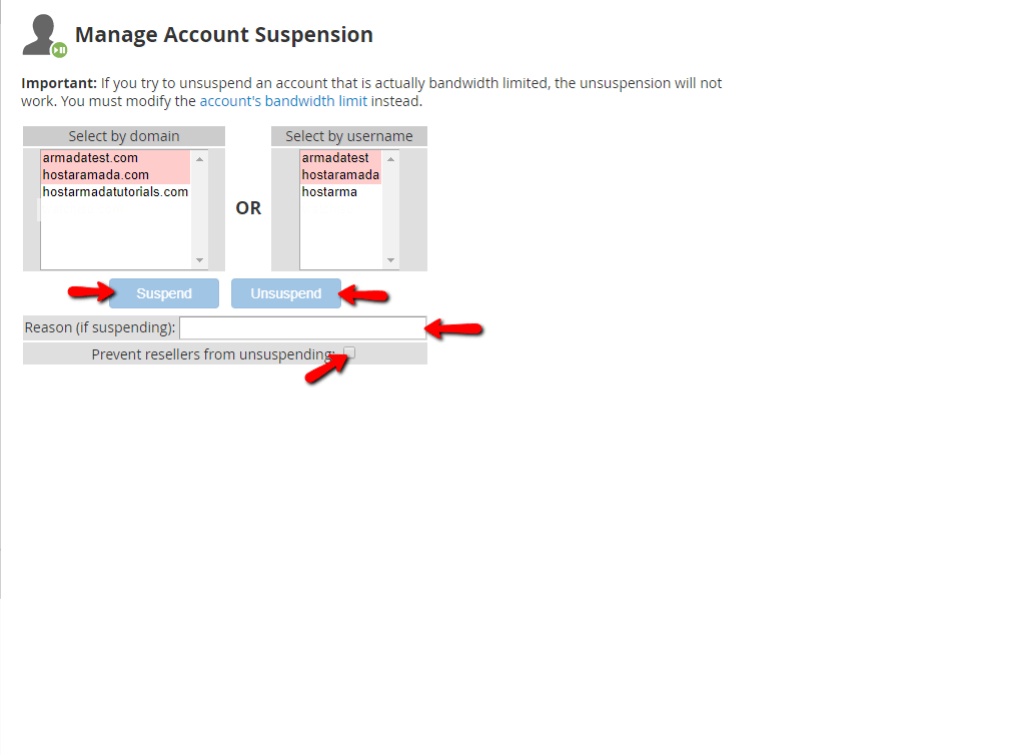
In order to change a cPanel account’s status, select either its primary domain from the left section or its user from the right. When selected, both the buttons will become clickable and you can press either “Suspend” to suspend the account or “Unsuspend” to activate the account. After you click on either of those buttons, you will be redirected to a changelog page containing information about the process. In order for you to get a better idea, we will provide you with a screenshot below:
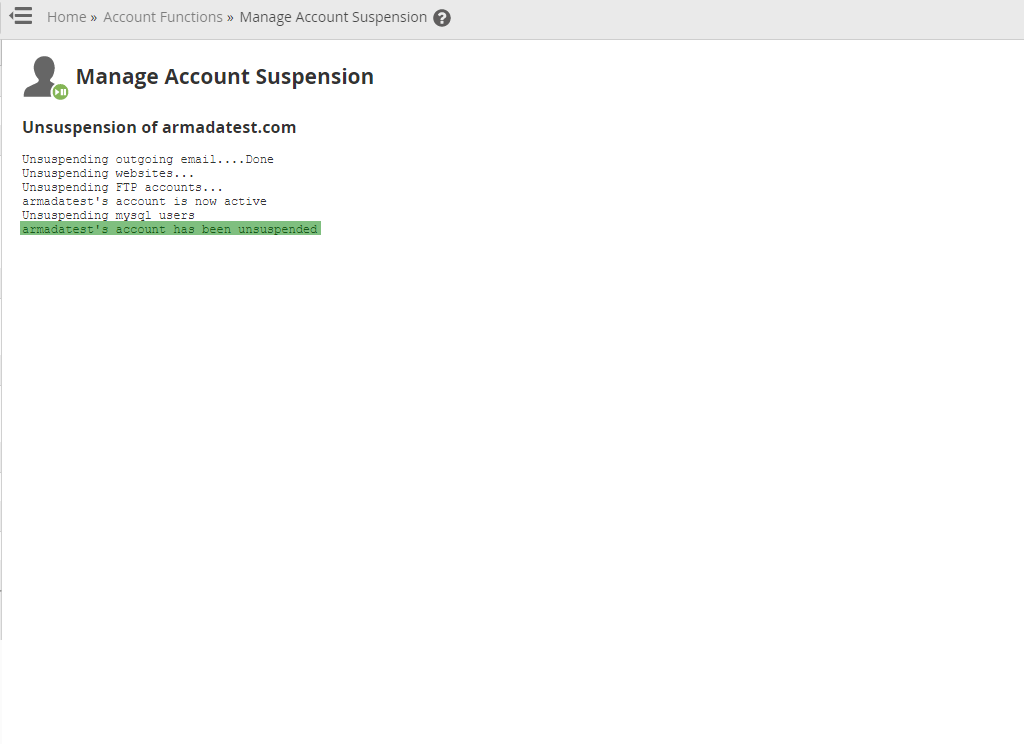
In this example, we have performed the “Unsuspend” function on the account, and its services are no longer suspended.
That’s it! Everything you need to know about the “Manage Account Suspension” functionality, neatly packed within this tutorial. If you have any questions or need help with it, do not hesitate to contact our Technical Support Crew by submitting a ticket from your Client Area.












