Introduction
Leech Protection is a useful addition to the already fantastic Directory Privacy feature, which we have explained in our How to password protect a directory in the cPanel tutorial. When active, it checks for suspicious activity on your password-protected directories, and if such is detected, it will suspend the person trying to log in.
In this tutorial, we will go over the process of setting Leech Protection for your private directories and implementing an additional security layer.
Let us begin!
Getting Started
To implement the Leech Protection feature for your domain using directory privacy, you need to log into your cPanel account. If you are not sure how to do that, please follow our How to access the cPanel service tutorial.
Once logged, please use the search field on the top and type in “Leech Protection”, or look for the functionality under the "Security" features group in the cPanel service.
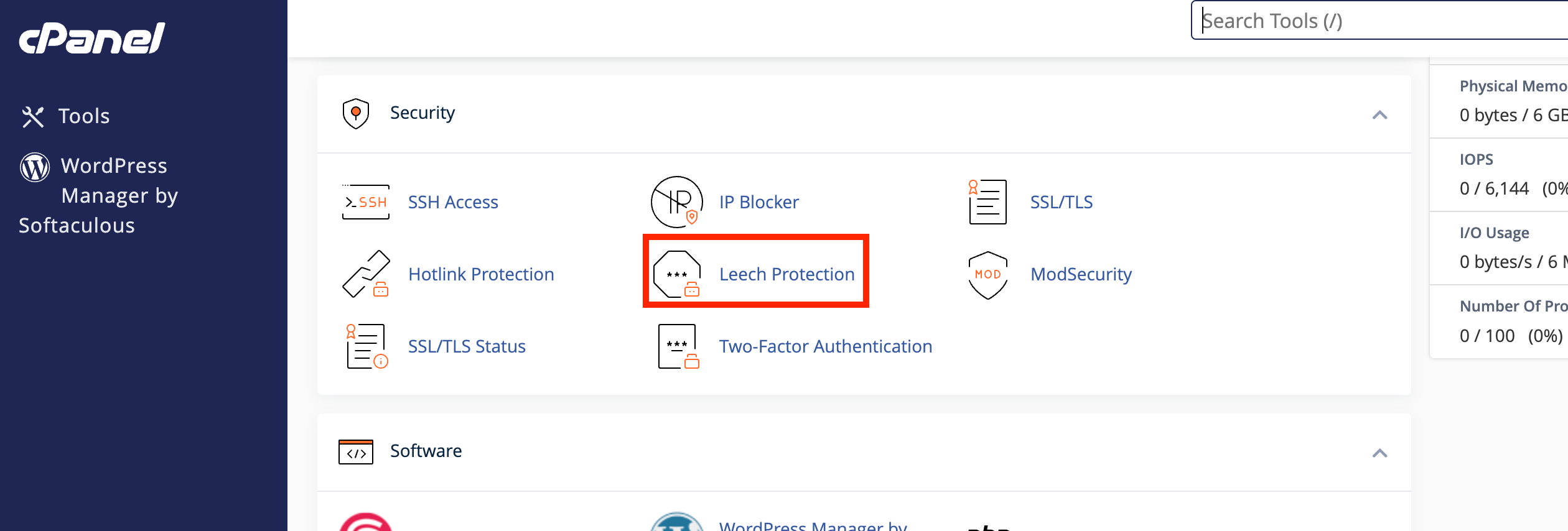
Once the feature presents itself, please click on the “Leech Protection” icon and cPanel will redirect you to the respective page.
Using the Leech Protection feature
When redirected to the “Leech Protection” interface, you will see a table section populated with all the directories inside your home directory.
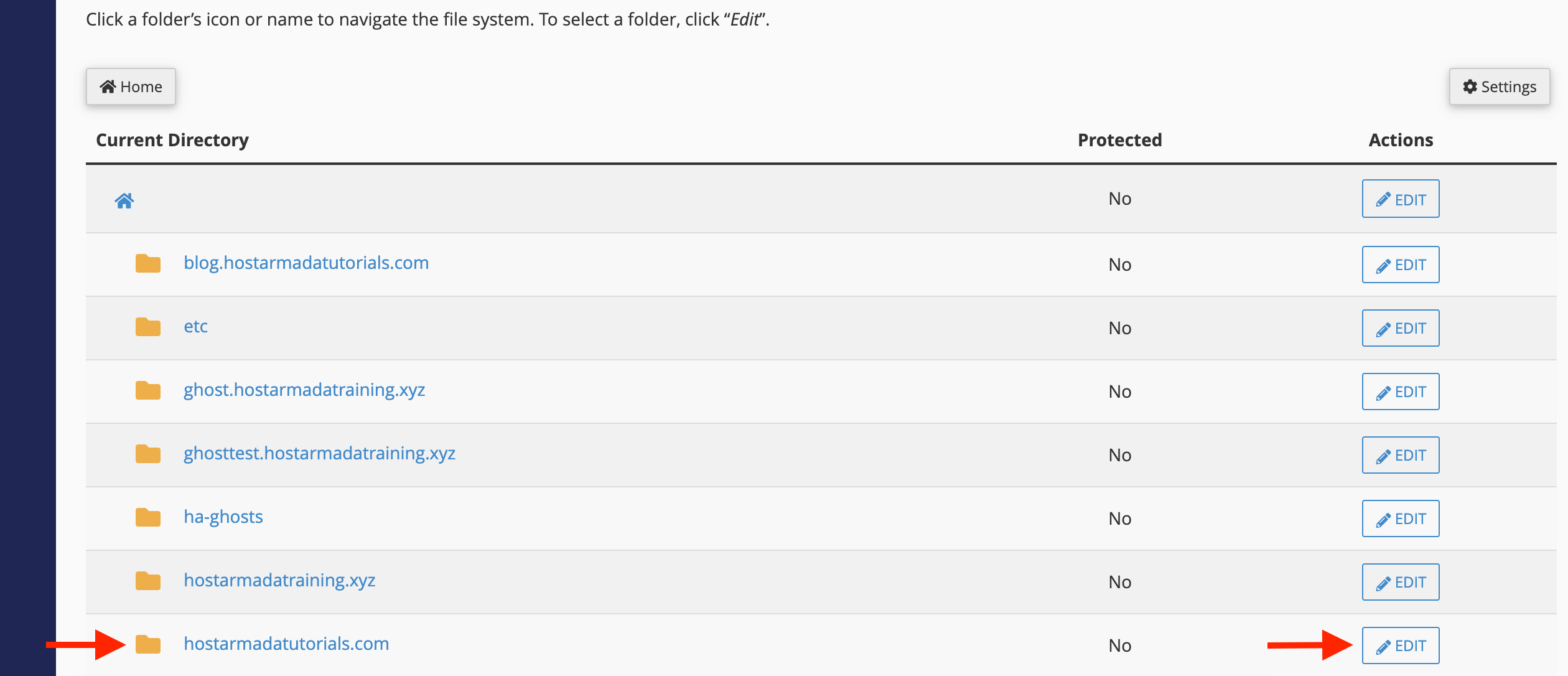
If you want to go inside the parent directories of the shown folders, please click on the folder name. To configure Leech Protection for a specific folder, please click the “Edit” button in the corresponding row.
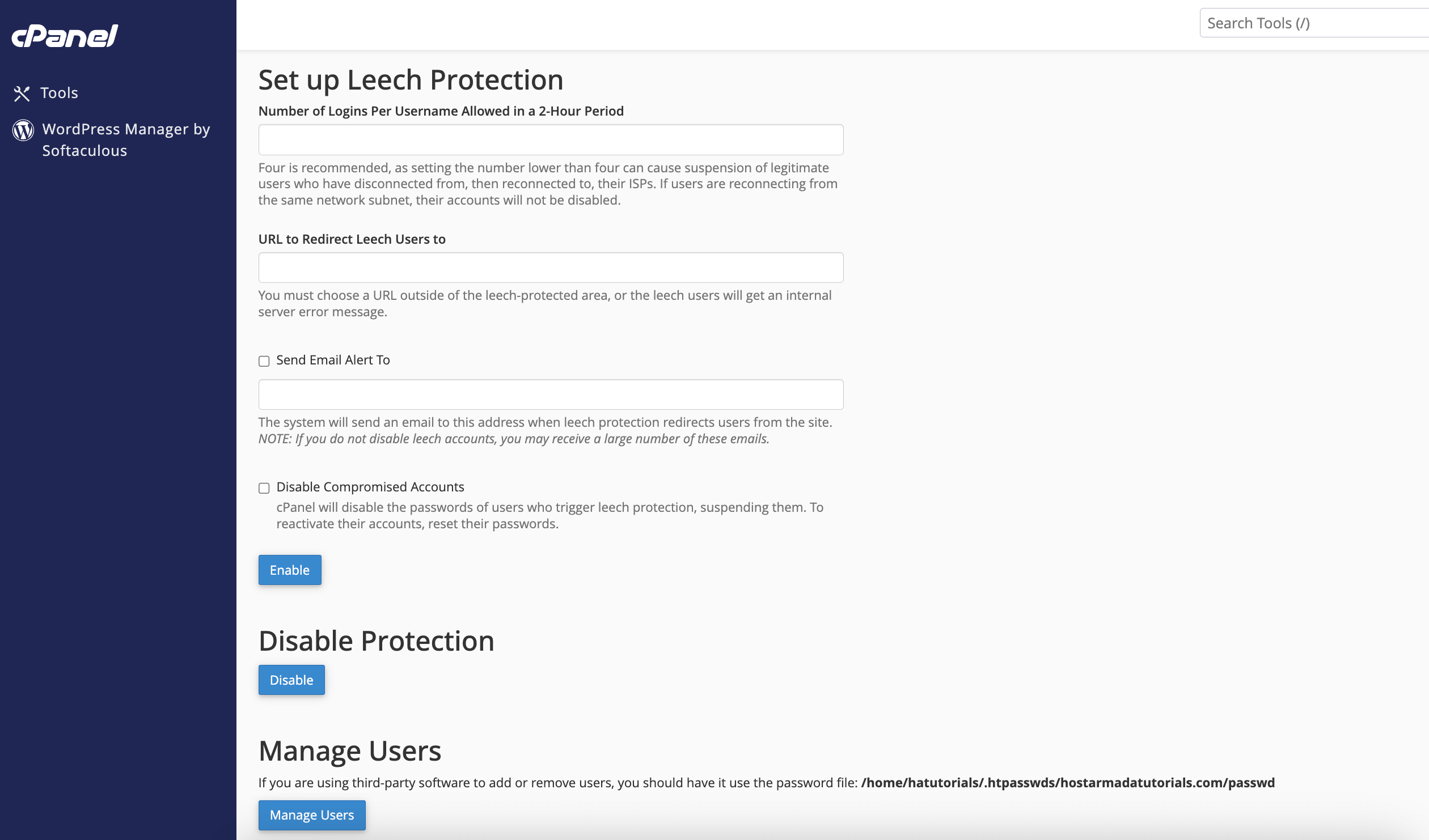
Upon clicking the "Edit" button, you will be presented with the following settings:
- Number of Logins Per Username ALlowed in a 2-Hour Period - Please use this text field, to set the number of login attempts necessary until the Leech Protection suspends access. The optimal recommended value here is four as if a user has an unreliable ISP provider, they can quickly allocate an amount less than four.
- URL to Redirect Leech Users to - Please use this text field to set a URL where the suspended user will be redirected upon reaching the maximum allowed logins in the 2-hour window. Please select a URL outside of the protected area, or the user will receive an Internal Server Error.
- Send Email Alert To - You can put a tick inside this checkbox and then specify an email address, which will be notified if a suspension takes place.
- Disable Compromised Accounts - If you put a tick inside this checkbox, cPanel will disable the account of the user on top of the suspension. To gather access to the account again, you need to reset the user’s password.
- Enable - Click this button to activate the Leech Protection feature.
- Disable - Click this button to deactivate the Leech Protection feature.
- Manage Users - Clicking on this button will send you inside the “Directory Privacy” settings where you can manage your “Directory Privacy” users. You can change passwords for existing users and create/delete users.
That is it! The "Leech Protection" feature is pretty straightforward, and it is perfect for adding an extra layer of security for a folder you want to keep private. If you have any issues setting this up, please feel free to contact our technical support team over the ticketing system in your Client Area. They are 24/7 available and will be happy to assist you.












