Get 30% off your WordPress Hosting with code WPSAVE10. Launch Faster. Save More!
  • 00 Days
  • 00 Hours
  • 00 Minutes
  • 00 Seconds

How to Install Webmin on Linux

Webmin is a free hosting control panel with easy installation. It takes only 5 to 10 minutes, and the configuration is simple.

What are the requirements?

- Fresh CentOS, AlmaLinux, or Ubuntu installed on your VPS/Server.

How to install Webmin?

Step 1: Log in to SSH Client using your root account.

Then enter these commands:

2025-08-30%2011_01_49-How%20to%20Install%20Webmin%20on%20Linux.png

webmin-step1-installation-guide.gif

Note: The installation may take a few minutes and will depend on the speed of your server. After it is done, the installation will display a message with the Webmin admin URL.

Step 2: Open your Webmin URL in a browser, such as https://ip-address here:10000

webmin-step-2-installation-guide.gif

If the URL doesn't work, open port 10000 in your server's firewall. You can do so by running the following command:

firewall-cmd --zone=public --add-port=10000/tcp --permanent
firewall-cmd --reload
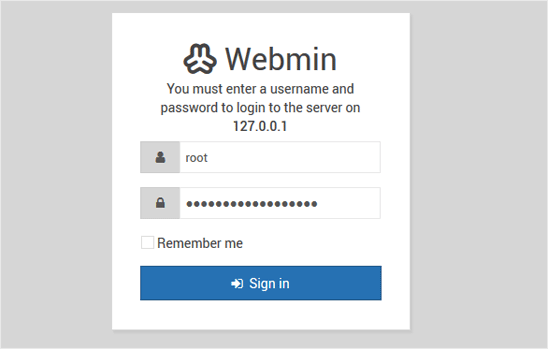
webmin-loginurl.gif

The Webmin Dashboard will open. Webmin's new design looks great.
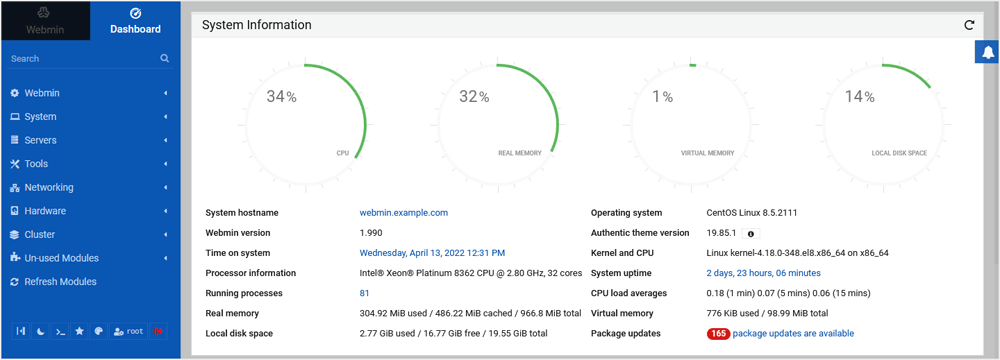
webmin-dashboard-design.gif

  • 0 Users Found This Useful
Was this answer helpful?

Related Articles

How to Install cPanel

cPanel is the #1 Hosting Control Panel in the web hosting industry. You can easily install it....

How to Install Plesk Onyx on Linux

Plesk is a popular website control panel. It makes managing your website easy. Although it is...

How to Install DirectAdmin on CentOS

DirectAdmin(DA) is a Commercial Hosting Control Panel used to sell shared and reseller hosting...

How to Install SolusVM Master on AlmaLinux or CentOS

SolusVM is a popular VPS hosting control panel. SolusVM master controls Slave nodes (Servers) and...

How to Install SolusVM Slave on AlmaLinux or CentOS

SolusVM is a popular VPS hosting control panel, and SolusVM Slave is installed on a dedicated...