Introduction:
In this guide, we will walk you through the process of connecting to SIRSTEVEHQ's Domain Reseller API and integrating our Domain Reseller module seamlessly into your system. By following these steps, you'll be able to offer reliable domain registration and management services to your clients under your brand name. To get started with our Domain Reseller Program, please visit this page.
After accessing the Domain Reseller Area page, once you click on the "Generate API Key and Open Reseller Area", your domain reseller account will be instantly activated, allowing you to start reselling domains immediately without any manual review from our team.

To help you set up, this article includes a step-by-step guide on how to prepare and configure your WHMCS system for domain reselling.
Step 1: Access API Credentials and Module Download
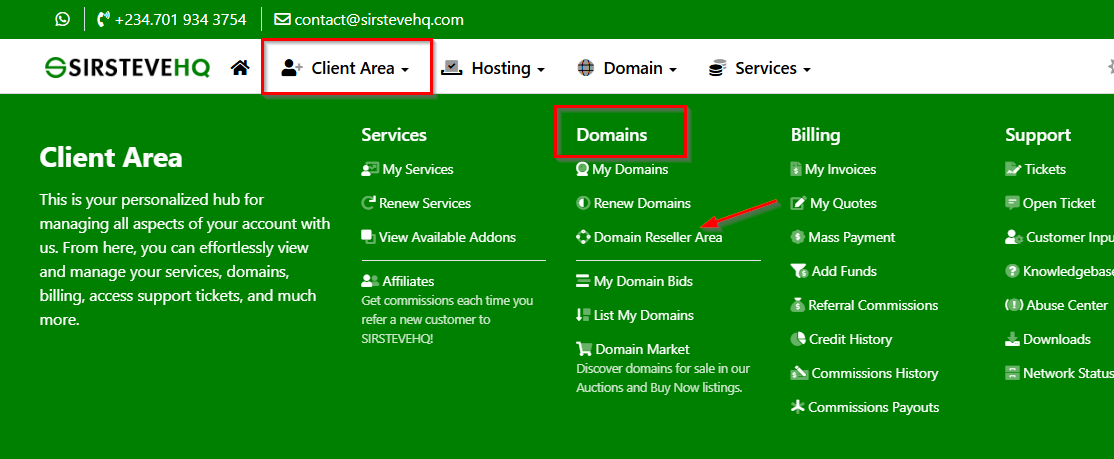
Log in to your SIRSTEVEHQ client area and navigate to the Client Area -> Domains section in the main menu. From the sub menu, select "Domain Reseller Area."
In the Domain Reseller Area, click on "Settings" in the sub-menu.

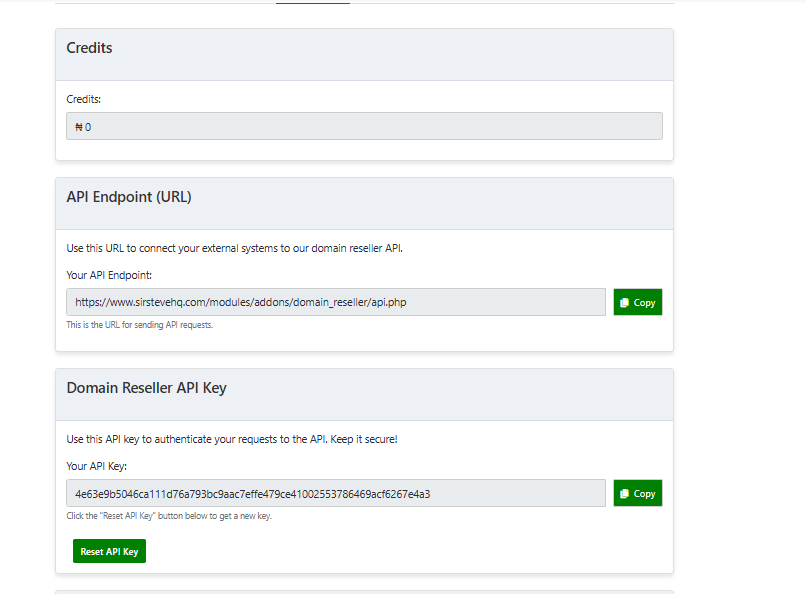
Here, you will find the option to generate your unique API key along with our API endpoint. These details are required when integrating with your WHMCS.
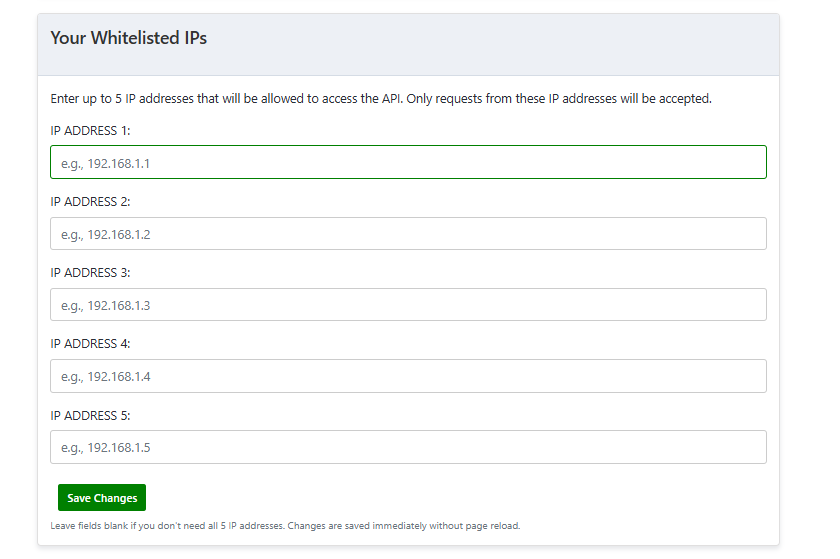
Additionally, you must whitelist the IP address where your WHMCS is hosted. This step is mandatory, as the module will not function unless the correct IP address has been added to the whitelist. Whitelisting ensures that your WHMCS installation can securely communicate with our API without being blocked. If the IP is not whitelisted, all connection attempts will fail, and you will be unable to use the module as intended.
We recommend confirming your server’s public IP address and adding it to the whitelist in your account settings before proceeding with the integration. You can enter your WHMCS IP address in “Your Whitelisted IPs” to restrict API calls to your WHMCS instance only. This is an additional security measure.
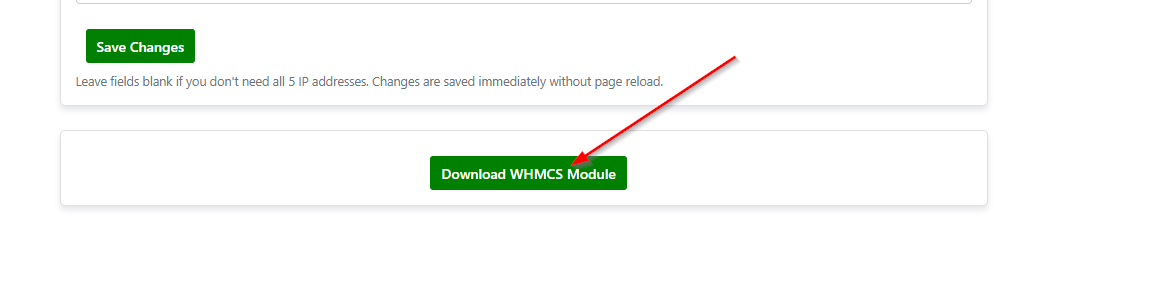
Lastly, you can download our WHMCS Domain Reseller module at the bottom of the page.
The downloaded file should be extracted. The archive should contain a directory named "domain_reseller_registrar".
Step 2: Install the Domain Reseller Module
Once you have downloaded the Domain Reseller module, upload it to the appropriate directory in your system. For WHMCS, the module should be uploaded to the /modules/registrars/ directory using an FTP client or cPanel File Manager.
The extracted directory has to be uploaded to your WHMCS root directory.
- WHMCS directory has to contain modules directory already.
- If prompted that directory exists, select overwrite.
- It won't remove your current modules but will append a new registrar module with already preset ones.
Once the "SIRSTEVEHQ Domain Reseller module" has been uploaded, login to your WHMCS admin area.
Step 3: Activate and Configure the Domain Reseller Module
Access your WHMCS's admin area, navigate to Setup > Products/Services > Domain Registrars, and activate the Domain Reseller module.
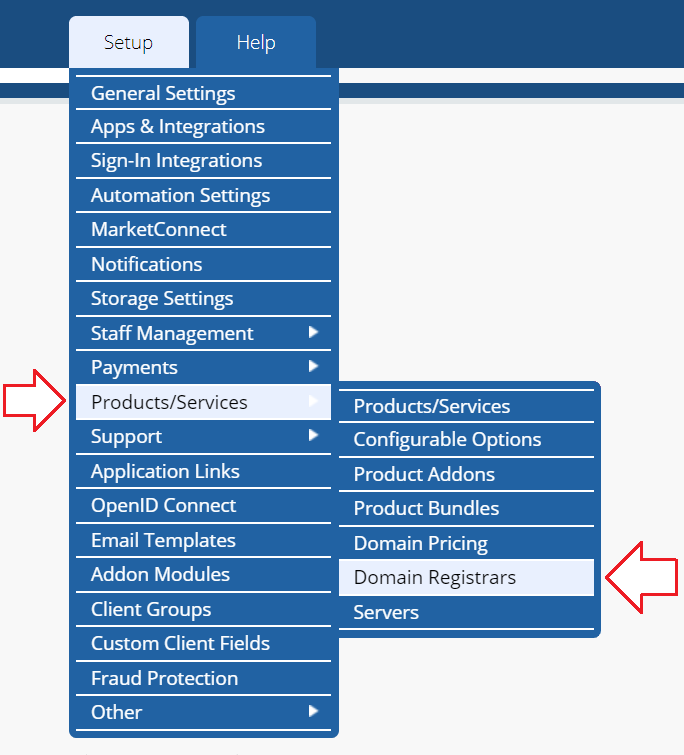
Find “SIRSTEVEHQ Domain Reseller Module” press the “Activate” button on the right side.

Once the module has been activated, click "Configure" on the right side.

Enter the Domain Reseller API key and our API Endpoint obtained in Step 1 to establish a secure connection with SIRSTEVEHQ's Domain Reseller API, and Save Changes.
Step 4: Add Domain Reseller Services to Your Offerings
Continue navigating to Setup > Products/Services > Domains Pricing.
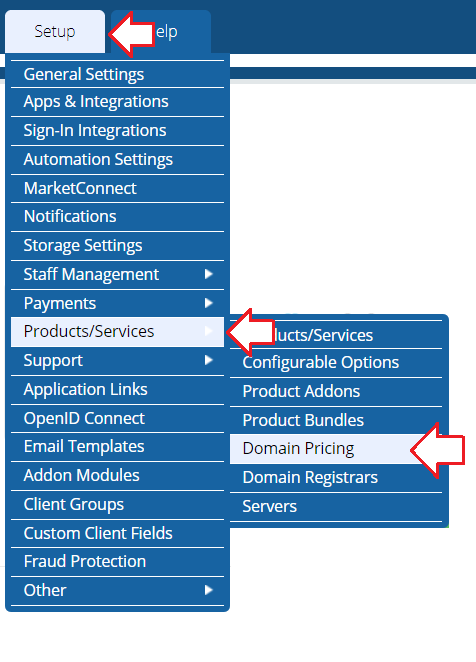
Set up TLD's you want to resell and set Auto Registration to "SIRSTEVEHQ". ID protection has to be turned off, otherwise domain will be registered with additional cost and have domain warranty (paid feature)
.png)
You can check available TLD’s for resellers in SIRSTEVEHQ WHMCS Domains > Domain Reseller Area > Pricing.
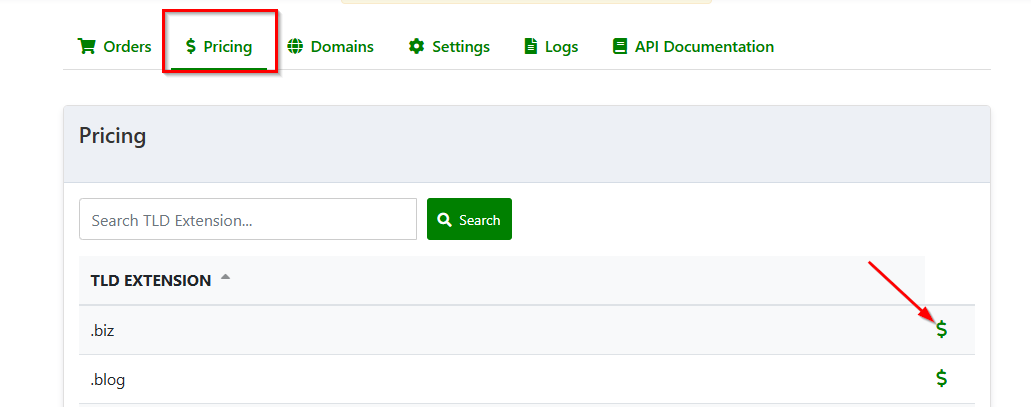
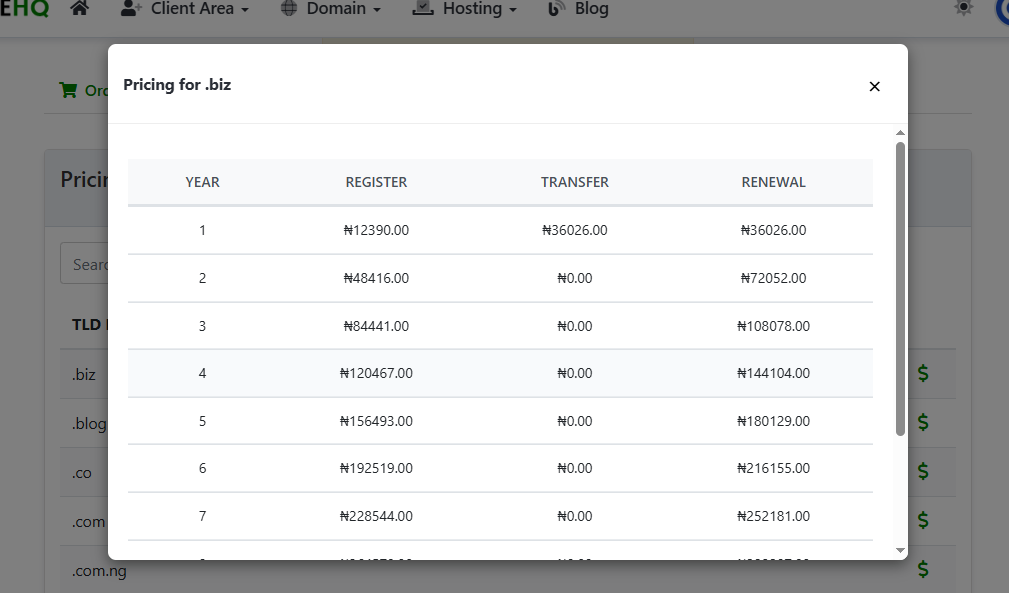
After setting up TLD’s you would want to resell, press on Open Pricing for each TLD and set the prices you will resell domains at to your end customer.

As a reseller, you have full control over setting your own profit margins when reselling domains. For example, if we sell a .com extension for ₦23,617, you could choose to resell it for ₦25,000 or any other amount that suits your business strategy. You can apply this same approach to all other extensions available to you. There is no fixed limit to the resale price—it is entirely up to you.
Please note, however, that you can only resell the extensions listed in your Domain Reseller Area.
Once you have adjusted your prices, ensure that under the Auto Registration settings in WHMCS, you select the SIRSTEVEHQ module. After doing this, save your changes. This step is essential to make sure domain registrations are processed correctly through our system.
Once done setting up prices, scroll down and press Save Changes at the bottom of the page.
At the moment, we do not support automatic domain and pricing import into WHMCS. This means all prices must be entered and updated manually. While this may require a bit of setup time initially, it also gives you complete flexibility to decide your profit margins and pricing structure.
Step 5: Test Domain Services
Before making your domain services live, conduct thorough testing to ensure everything functions correctly. Use test domains or staging environments to avoid any disruptions to your live services.
Please note that we have set the low balance credit threshold at ₦10,000. This means you must maintain a minimum balance of ₦10,000 or more in your account to be able to register or activate domains. If your balance falls below ₦10,000, domain registrations will not be processed until you top up your account. We recommend keeping your account funded above this threshold to ensure uninterrupted domain activations and smooth operation of your reseller business. Maintaining a sufficient balance helps prevent failed orders, delays, or potential loss of a desired domain name due to insufficient funds.
Optional Step For WHMCS
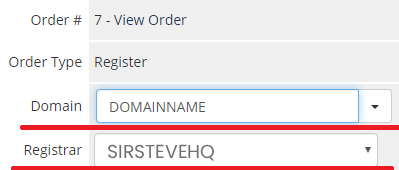
In case the domain needs to be added to your WHMCS, just create an order for the domain without registration or transfer action initiated.
Open created Domain you want to access through the reseller platform, fill in the domain name, and select registrar SIRSTEVEHQ.
Conclusion:
Congratulations! You have successfully connected to SIRSTEVEHQ's Domain Reseller API and integrated our Domain Reseller module into your system. By completing these steps, you can now provide top-notch domain registration and management services to your clients under your own brand name. If you have any questions or need assistance along the way, our dedicated support team is here to help.
Feel free to reach out to our support team if you need any further assistance or have any queries related to our Domain Reseller services. We are always ready to support you in providing the best domain solutions to your clients.