Introduction
A MySQL trigger is a stored code sequence that the database server executes each time your database triggers a specific event within the table. Examples of such events are the UPDATE, INSERT, or DELETE statements. Standard usage of a MySQL database trigger involves performing a check whenever a piece of content is inserted inside a table or a re-calculation of a value associated with a table update. This tutorial will explain how to create a database trigger using the phpMyAdmin service in your cPanel. Let us get started!
Accessing phpMyAdmin
Before you can access the PHPMyAdmin functionality, you need to log into your cPanel account with us. To do so, please check our tutorial on How to access the cPanel service .
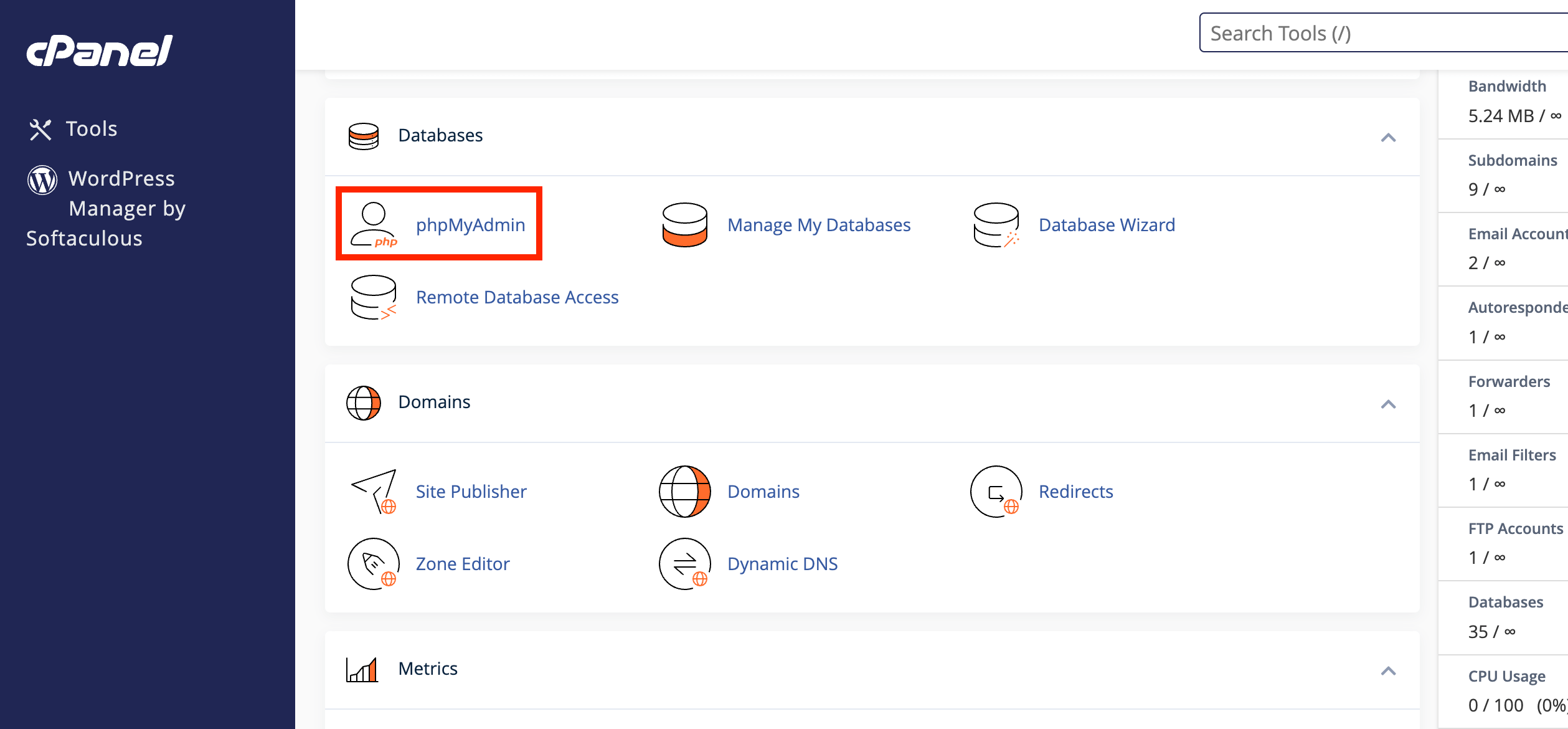
Once logged in, please navigate to the " Database " section and click on the " phpMyAdmin " icon.
Clicking on the result redirects you to the " PHPMyAdmin " feature. In the left sidebar, you will see a list of all your databases.
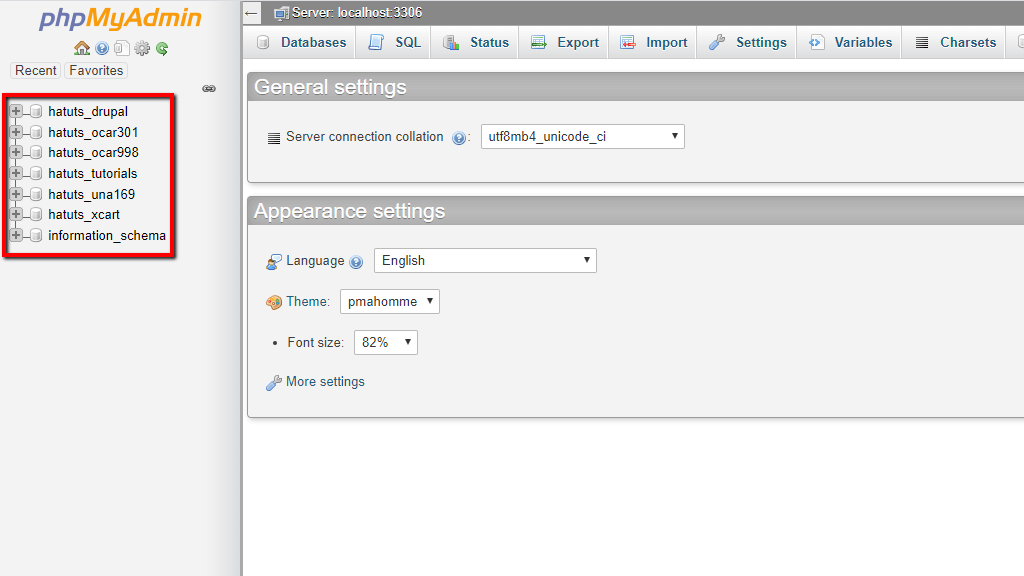
Please select the database for which you want to create the MySQL trigger.
Creating a MySQL Trigger
Once you have selected the database, phpMyAdmin will list all its tables in the middle of the screen.
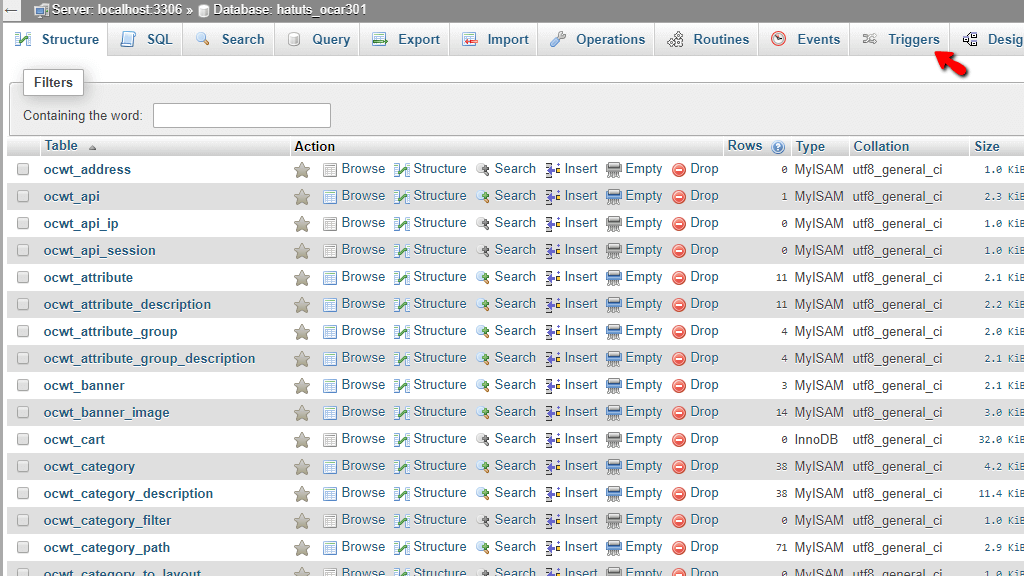
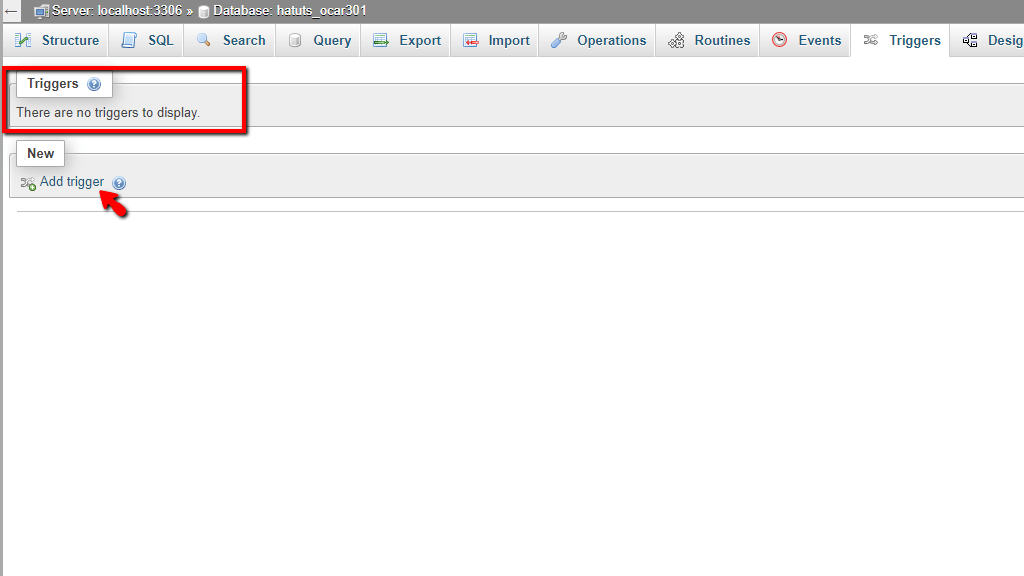
From the bar on top, please click on the " Triggers " tab. This action takes you straight to the page, which allows you to add database triggers.
On the top, you can see the " Triggers " section where phpMyadmin will show all the existing database triggers. If there are none created, like in our case - it will be empty. Please click the " Add trigger " button located under the " New " section to add a MySQL trigger.
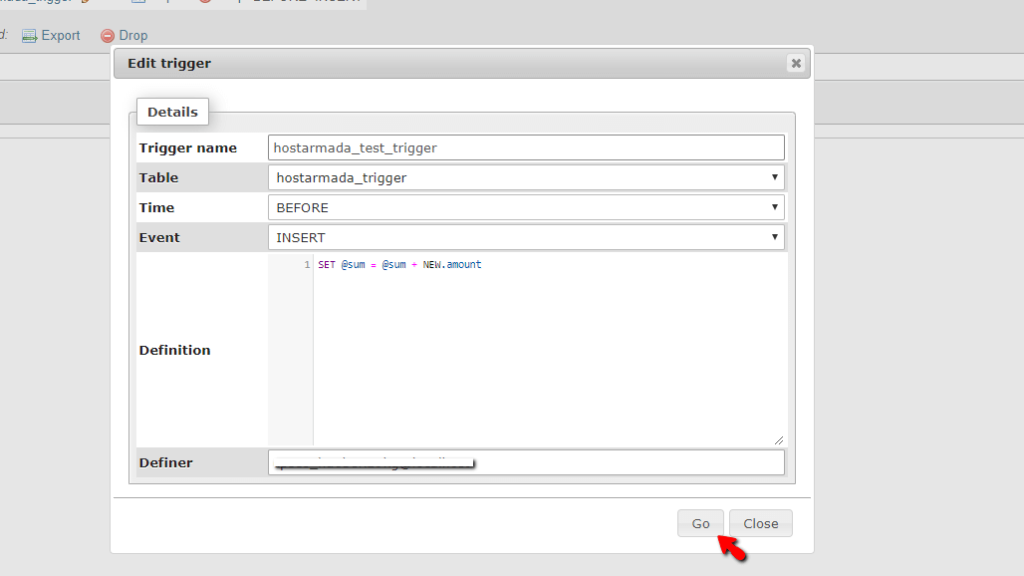
This action will show a popup window, which allows you to configure your new database trigger.
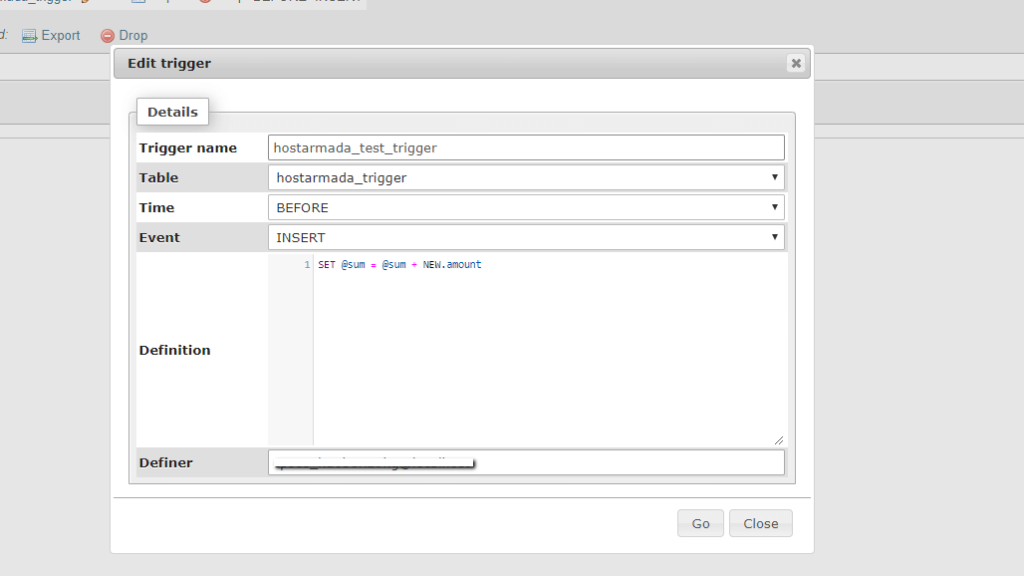
Below, we are going to cover the majority of the options provided in the popup window.
- Trigger name - In this text field, please type in the name of your trigger. A common practice is to use a name relevant to the database trigger's functionality.
- Table - Please use the dropdown menu and select which table phpMyAdmin will add the MySQL trigger.
- Time - Please use the dropdown menu to select when you want this trigger to be activated - BEFORE or AFTER .
- Event - Please use the dropdown menu to set the event, which activates the database trigger.
- Definition - In this content box, please type in the SQL code you want the MySQL server to execute when the database trigger is activated.
- Definer - Please use this text field to set the definer of the MySQL trigger.
After you have configured your trigger, please press the "Go" button to create it.
When you create the database trigger, phpMyAdmin will display it under the "Triggers" section within the "Triggers" tab.
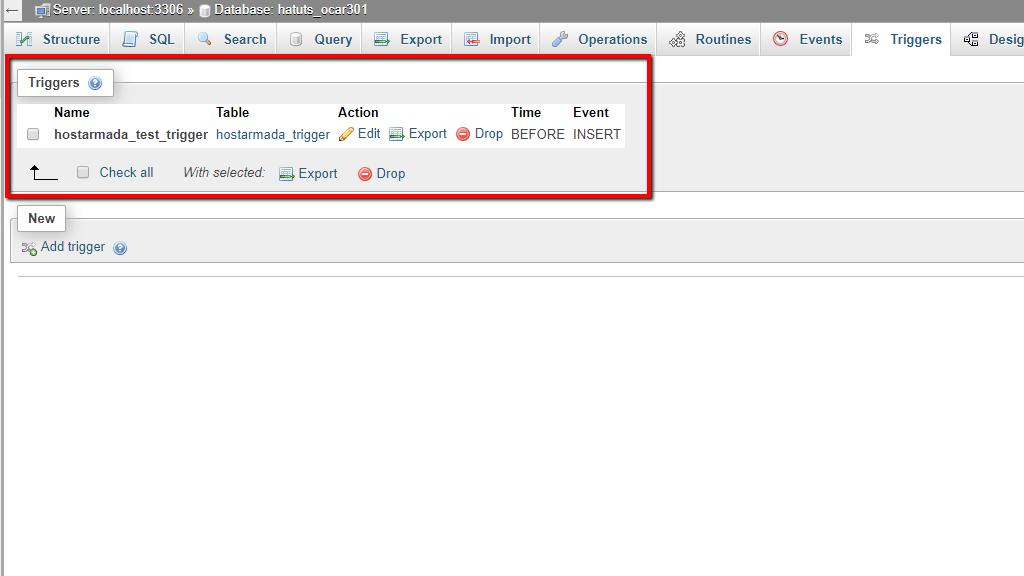
On the row where phpMyAdmin placed the MySQL trigger, you can see three buttons. Let's go over all of them.
- Edit - Clicking on the "Edit" button opens the previously mentioned popup window allowing you to change the current database trigger.
- Drop - Clicking on the "Drop" deletes the MySQL trigger.
- Export - Clicking on the "Export" button exports a file containing this MySQL trigger's SQL code.
And there you have it! The way you can use phpMyAdmin to create database triggers. If you face any technical issues with this functionality, please do not hesitate to contact our technical support staff over the ticketing system in your Client Area.












