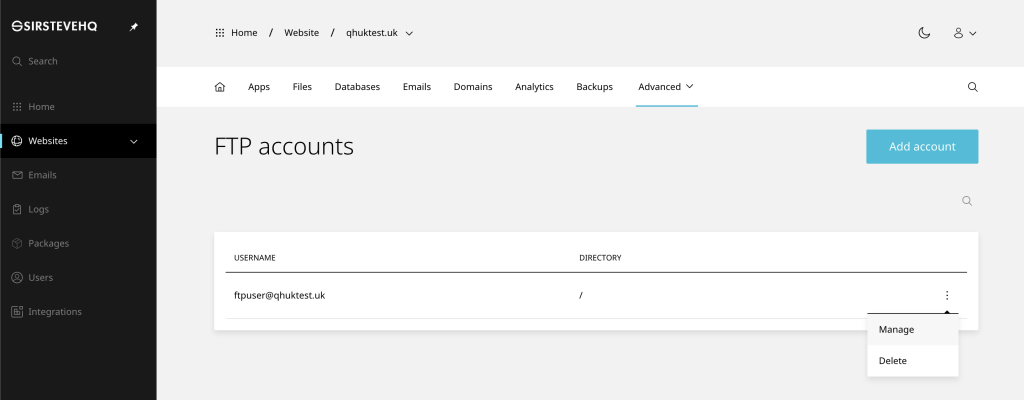
To add an FTP accounts on a single website:
- On the website dashboard select the advanced drop-down menu
- Click FTP and Add account
- Enter the desired Username and Password
- In the Directory box specify the the path (leave blank if unsure)
- Click Add to finish
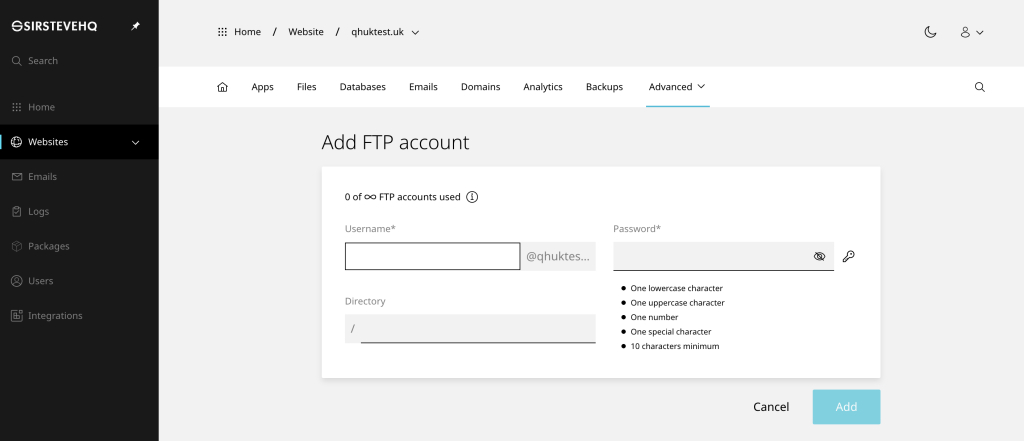
In your FTP software you would then enter:
- FTP Host: qhuktest.uk
- FTP User: ftpuser@qhuktest.uk
- FTP Password: your_password
If you are unable to connect to FTP, please ensure any firewall (local or external) allows the FTP passive port range 30000:31000
To manage FTP accounts on a single website:
- On the website dashboard select the advanced drop-down menu
- Click FTP then (3 dots) and Manage or Delete
- You can now edit the Password and Directory
- In the Directory box specify the the path (leave blank if unsure)