Enhance makes it easy to download a full copy of your website or email data. You can then keep it as a backup or use it to move your site or emails to another Enhance server.
When you download, Enhance creates the backup on the server and streams it straight to your computer. This means it starts downloading right away, and no extra storage space is used on the server.
Download a backup
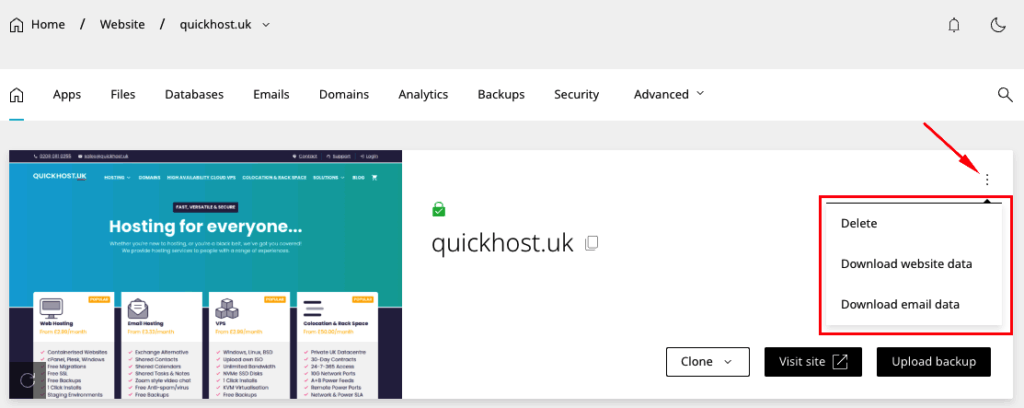
To download a backup of a website:
- Open Websites in the left side bar
- Select Manage on the website you would like to download
- When the website dashboard loads click … in the top left hand corner and select either Download website data or Download email data. On click, the file will download to your browser immediately.
Download website data – this will download all files and databases.
Download email data – this will download all email accounts and passwords.
Upload a backup
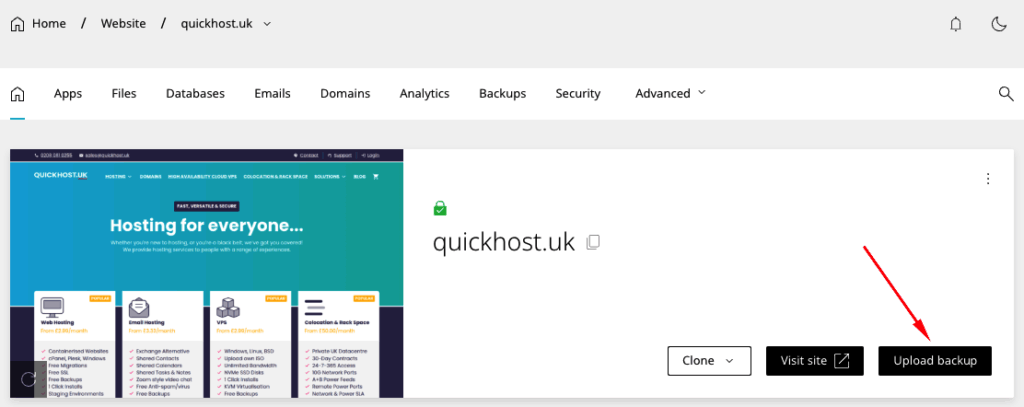
When uploading a backup to a website, the site’s previous backups will still be available.
To upload a backup:
Uploads are subject to the email and databases resources available on a package.
- Open Websites in the left side bar
- Select Add website and create a blank website
- When the website dashboard loads select Upload backup
- When the modal loads, select Choose file and select your backup. Once a file is selected, the import will begin automatically.












