Are you encountering the ‘Error establishing a database connection’ message on your WordPress site? This critical error prevents users from accessing your WordPress site.
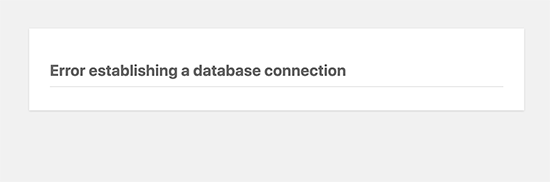
The ‘Error establishing a database connection’ problem can arise due to incorrect database details in your WordPress settings, a corrupted database, or an unresponsive database server.
WordPress requires the following details to connect to the database:
- Database name
- Database username
- Database password
- Database host server
These details are stored in your WordPress configuration file, wp-config.php.
Verify your WordPress database credentials
The primary cause of the database connection error in WordPress is usually incorrect database credentials. To resolve this, check the following lines in your wp-config.php file:
/** The name of the database for WordPress */
define( 'DB_NAME', 'database_name_here' );
/** MySQL database username */
define( 'DB_USER', 'username_here' );
/** MySQL database password */
define( 'DB_PASSWORD', 'password_here' );
/** MySQL hostname */
define( 'DB_HOST', 'localhost' );
Confirm your database host server information
If you’re certain that your database name, username, and password are correct, ensure that you’re using the accurate database host information.
We use localhost here at SIRSTEVEHQ
Repair the WordPress database
If you’re encountering a different error in the wp-admin area, such as “One or more database tables are unavailable. The database may need to be repaired,” you’ll need to repair your database.
To do this, add the following line to your wp-config.php file just before the ‘That’s all, stop editing! Happy blogging’ line:
define('WP_ALLOW_REPAIR', true);After adding this line, visit the following URL to access the repair page: http://www.yoursite.co.uk/wp-admin/maint/repair.php
Once you’ve repaired and optimised your database, remember to remove the added code from your wp-config.php file.












