Get 30% off your WordPress Hosting with code WPSAVE10. Launch Faster. Save More!
  • 00 Days
  • 00 Hours
  • 00 Minutes
  • 00 Seconds

How do I use SIRSTEVEHQ's CDN?

CDN-features.png

SIRSTEVEHQ’s CDN is quick and easy to use.

Manage the package you want to enable our SIRSTEVEHQ CDN for and locate the CDN section. 
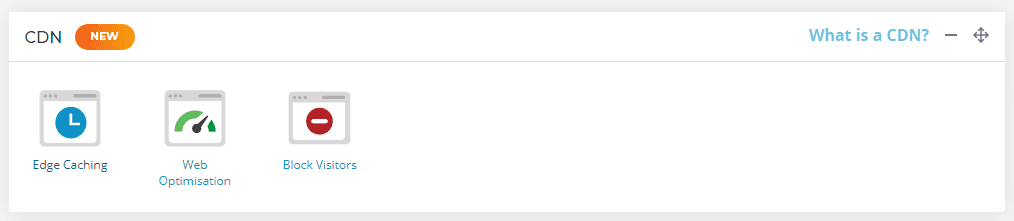
CDN block

To activate the main Edge Caching element of the CDN, select Edge Caching - select the toggle to activate it (Login to your SIRSTEVEHQ CP > Edge Caching).
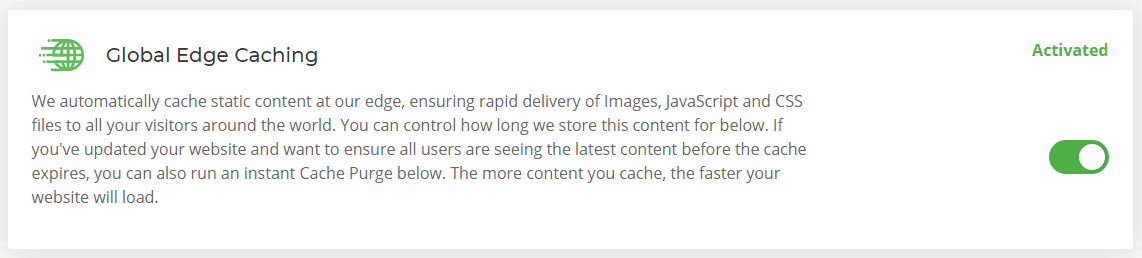
Global edge caching

There’s nothing more you need to do! All static content on your website will now be cached automatically and served from the CDN node closest to the website user's location.

How do I purge the cache?

To purge the cache that's stored at the CDN node head to the Edge Caching section and select the Purge Everything button. 

Purge cache

  • 0 Users Found This Useful
Was this answer helpful?

Related Articles

Why are my images not being converted to WEBP format? - SIRSTEVEHQ CP

The SIRSTEVEHQ Web Optimisations allow you to quickly and easily optimise resources on your...

Does the SIRSTEVEHQ CDN perform cache warming?

Yes. The SIRSTEVEHQ CDN performs cache warming to ensure cached pages are served as frequently as...

CDN Security Headers - SIRSTEVEHQ CP

Using HTTP security headers can improve website and application security and protect against...

Do I need caching plugins in addition to the SIRSTEVEHQ CDN?

The short answer is no, the SIRSTEVEHQ Content Delivery Network takes care of caching for you....

How do I create a Website Acceleration Suite template? - SIRSTEVEHQ CP

There are over 40 settings in the Website Acceleration Suite that can make your site load faster....










