Creating a new email account for a domain name is done through SIRSTEVEHQ CP.
- Log in to SIRSTEVEHQ CP.
- Select Email Accounts under Email.
- Enter the name you want your email account to have and select the domain and click Create Email Account.
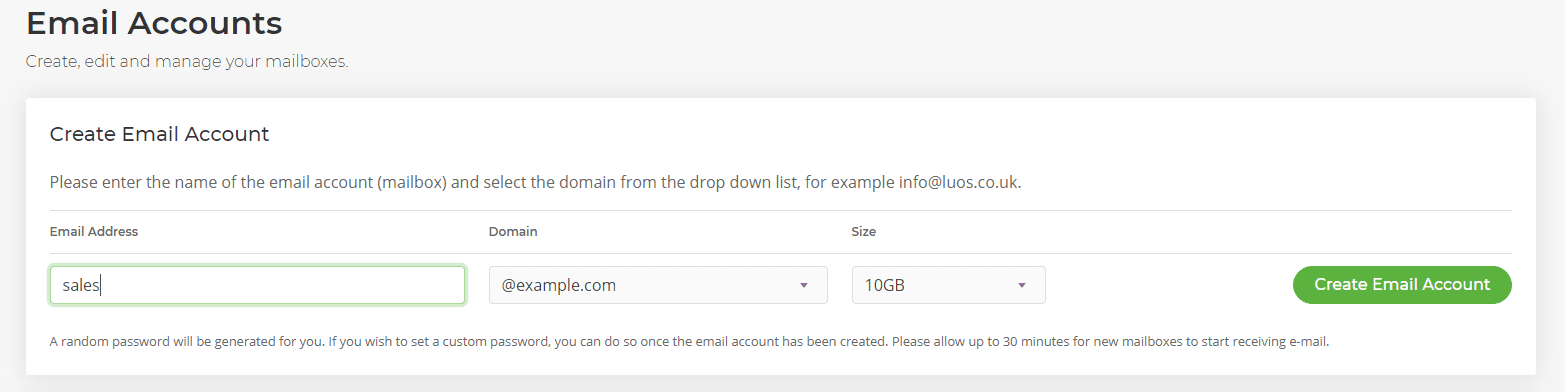
- Your email account will automatically be assigned a password, but as soon as the account is created you'll be able to change this to anything you wish.
- You will have immediate access to your webmail account.
Email is included as part of SIRSTEVEHQ CP hosting packages, including WordPress/Cloud Hosting.












