HTTP Keep-Alive, also known as HTTP persistent connection, is a mechanism used to maintain an active connection between a client and a server. The idea behind Keep-Alive is to reduce the overhead of establishing a new connection for every HTTP request/response transaction and to allow multiple requests to be sent over a single connection. Doing this can speed up web page loading times.
When a client and a server establish an HTTP Keep-Alive connection, they agree to keep the connection open for a certain amount of time after the last request has been sent. This allows for subsequent requests to be sent over the same connection, without having to go through the process of re-establishing a new connection. This can improve the overall performance of the client-server interaction, as the overhead of opening a new connection is avoided.
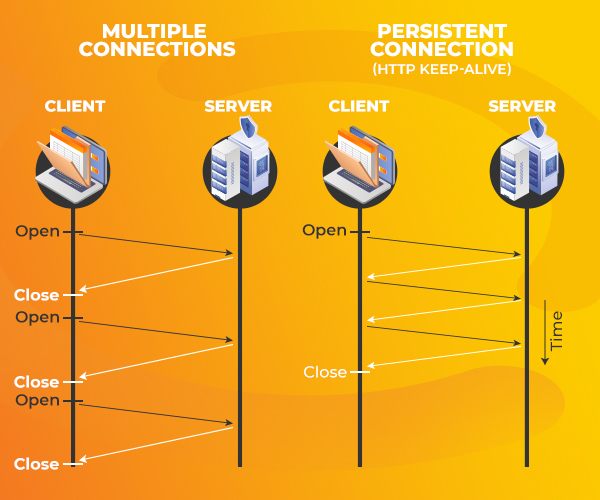
Http Keep-Alive (HTTP persistent connection) is enabled by default
Keep-Alive is enabled by default on all SIRSTEVEHQ CP web hosting, so there's no need to add any additional .htaccess rules to enable it.
By default, Keep-Alive is enabled in the HTTP/1.1 protocol, but it can be disabled by the client or server by including the "Connection: close" header in the HTTP request or response.












