From SIRSTEVEHQ CP, head to Domains. This area allows you to configure all domain names associated with that hosting package.
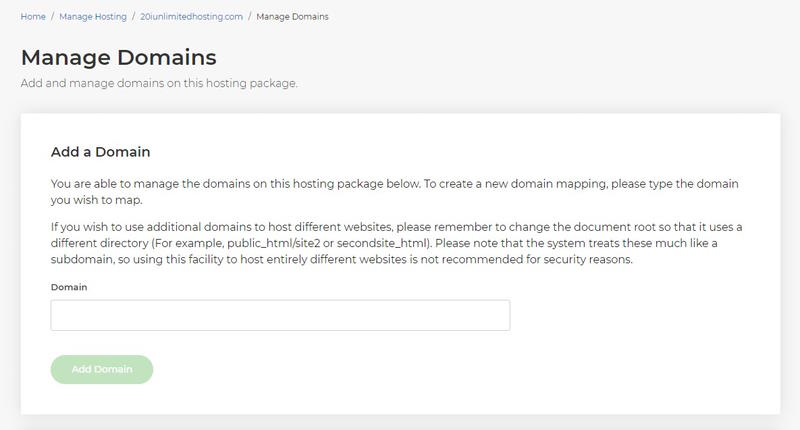
Domain mappings or aliases are simply additional domains that point to exactly the same files - an identical document root - as your primary domain name on the package. So, to alias or map a domain simply type it in the 'Domain' box.
Note: don't include 'www' and leave the document root as the default public_html.
What is domain mapping?
Domain mapping enables the connection of multiple domains with a primary domain or content management system (CMS). It can be used to have separate domains in the same CMS installation. WordPress Multisite networks are one example where domain mapping can be used.
All mapped domains can be managed from a single source. You can create subpages for your blog, shop, log-ins for employees, subsidiaries of your business or categories under the roof of your main domain.
You can serve different content for each of your mapped domains while the files are all in the CMS installation of the main domain.
Why use domain mapping?
It can be very helpful when you have a vast range of services or products that all justify a distinct domain name. With domain mapping you can connect them all, which makes it easier to and update all subpages in your network
What is the difference between domain mapping and domain redirecting?
Redirecting does what is says. Users are redirected from one domain to the target you set. This can be confusing and lead to less trust if the user has not searched for the target domain. The user will also see only the content of the domain the redirect is set to.
Domain mapping works different as it connects the content via a multi-site network. The URL they see in the browser does not change. Different content can be served for each domain, so the user can have a distinct user experience on each domain while all are managed from one root directory.












