When using Chrome, you may sometimes see a warning when visiting a website that says its dangerous or deceptive.
This is because phishing and malware detection is enabled by default in Google Chrome. This feature protects you against unsafe websites and Google Safe Browsing has a list of websites that could put you at risk for visiting them. The reasons for being marked as deceptive or dangerous can be related to malware, phishing, deceptive advertising or unsafe third-party elements.
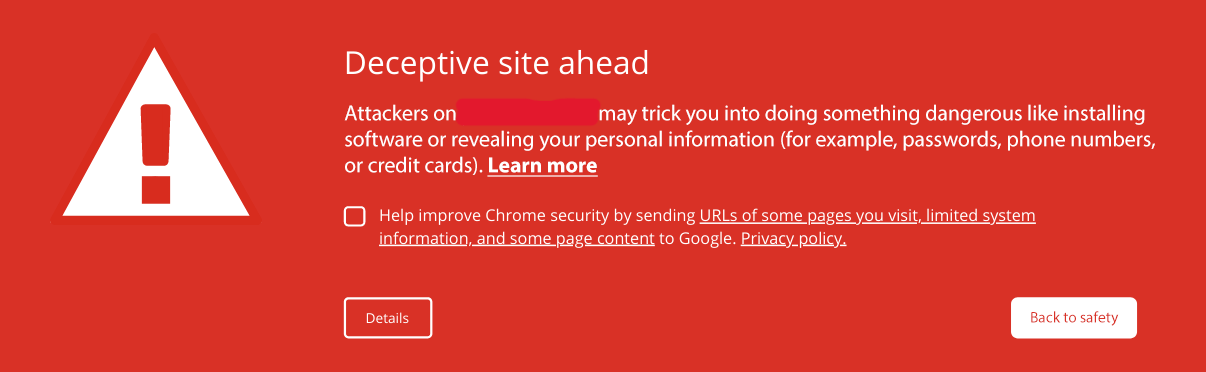
If you are visiting a website and see this, it’s advised not to bypass the error unless you’re 100% sure that it is safe.
If this shows on a website you own, you should be able to see more information using Google’s safe browsing status tool. This will be an issue with the website itself, rather than the hosting. In most cases, the website will have likely been compromised in some way which has caused it to be flagged.
To get this message removed, you will need to address the reasons why it’s been flagged. Depending on the reason, you might need to check the website for any unfamiliar code, scripts, or new files you didn’t add. If there is any malicious code, scripts, or links those will need to be removed. Ensuring everything on the website is up to date and changing passwords would also be beneficial.
Once you have resolved the issues that caused the website to be marked as dangerous or deceptive, you can report the page as safe on Google's Safe Browsing report page
If you have used the Google Search Console before, you can submit the website for review there. Once Google have scanned the website again and found no issues, the warning will be removed.












