Introduction
Welcome to another part of our WHMCS General Settings tutorial. This tutorial will review another tab from the General Settings, namely, the “Credit” tab. Customers can add credits to their Client Area and use them for future purchases instead of having a credit card or PayPal subscription on paper. Additionally, depending on your ToS or any custom deals you may have with your clients, you can add credits instead of directly refunding the customer’s funds to the respective payment gateway they used for the purchase. The option within this tab will allow you to set the way WHMCS treats credits and how it allows customers to apply the credit to their invoices.
Of course, WHMCS has plenty of configuration choices under the General Settings, and we will examine them in the rest of our WHMCS tutorials in the series.
Getting Started
To access the General Settings, please log inside your WHMCS admin area. After you log in, please point your attention to the top right corner. There you will see the wrench icon. Please click on it, and then click on the "System Settings" option from the revealed icons.
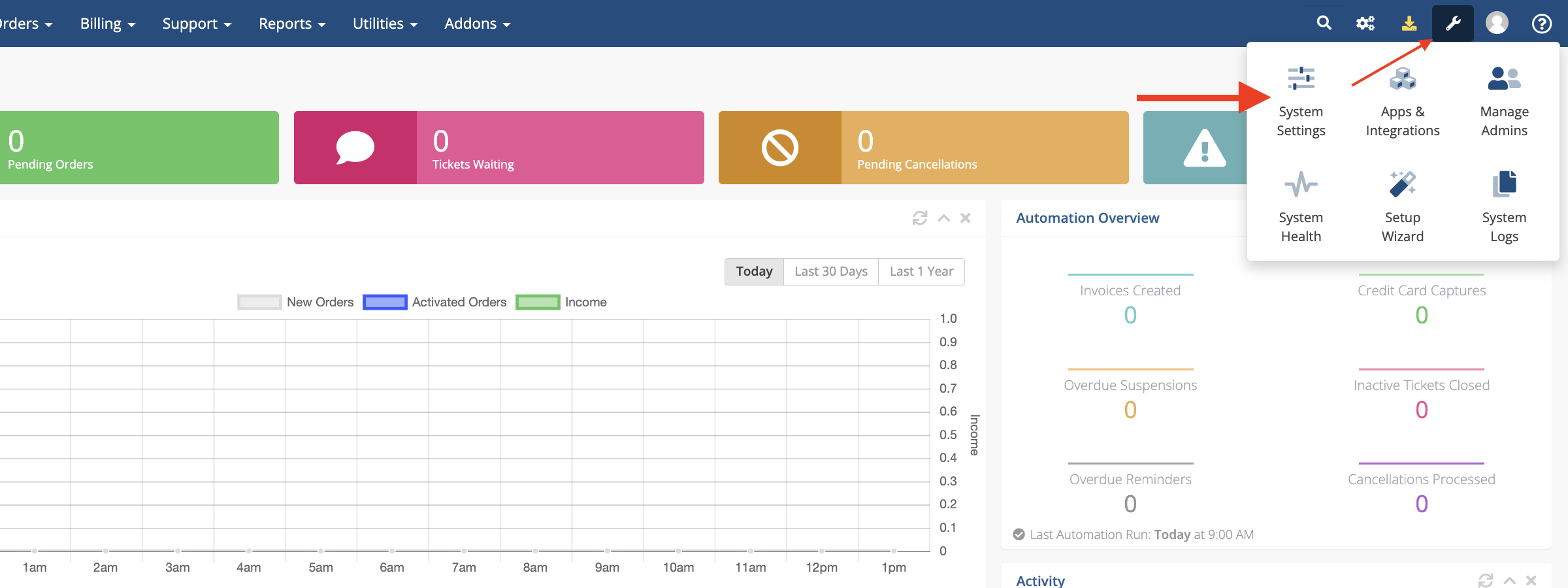
This action will redirect you to the "System Settings" page, where you will see all the available WHMCS settings.
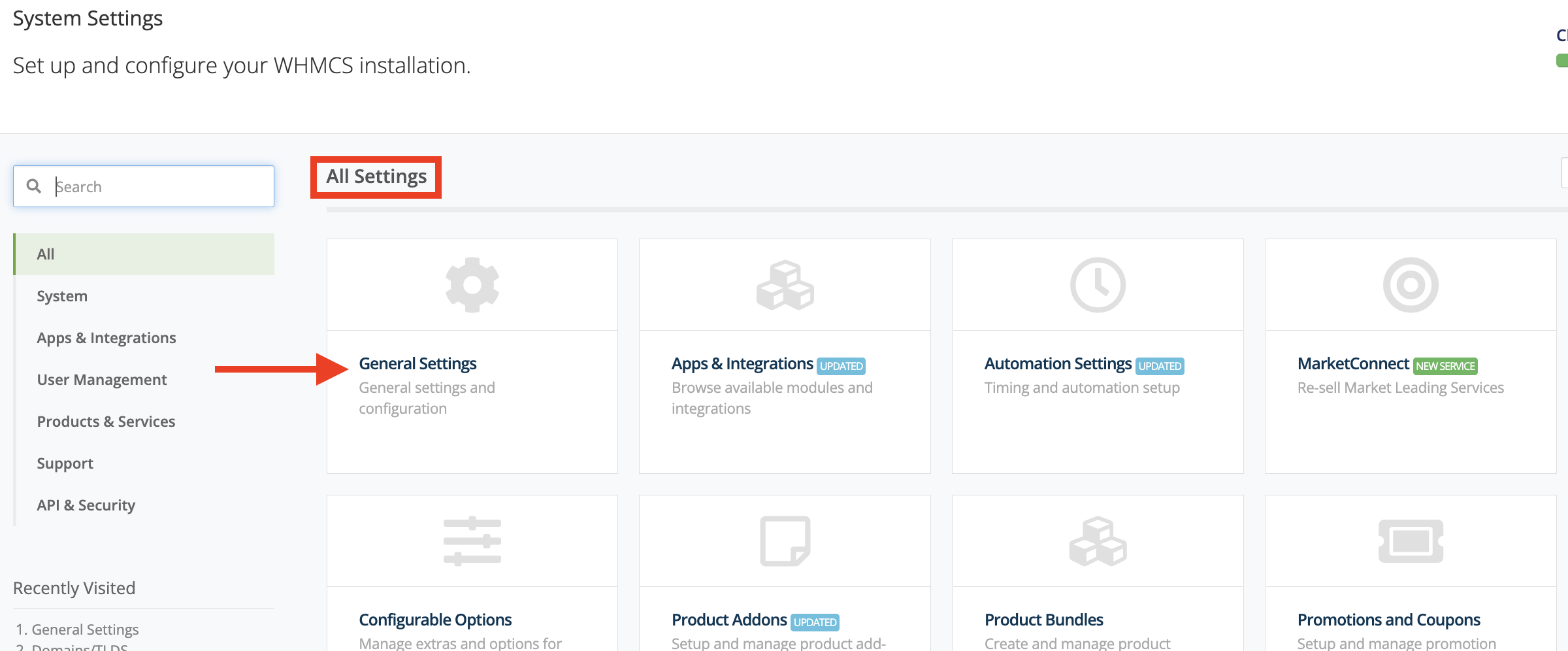
To access the "General Settings," please click on the "General Settings" content box, which will be the first option under the "All Settings" title.
Credit Tab
To access the "Credit" tab, please click on the "Credit" tab on the right side of the "Invoices Tab". It will contain settings related to system credits and the way WHMCS uses them in certain situations.

Let's explore each option individually and get a better idea of what they do.
- Enable/Disable - Please use this checkbox to enable or disable the ability of customers to add credits from their Client Area.
- Minimum Deposit - Please use this text field to set the minimum amount a client may deposit in their Client Area at once.
- Maximum Deposit - Please use this text field to set the maximum amount a client may deposit in their Client Area at once.
- Maximum Balance - Please use this text field to specify the max credit balance a client may have in their Client Area at once.
- Require Active Order - Please use this tickbox to allow/prevent clients with active orders from adding credits. We highly recommend enabling this, as it will help prevent fraudulent activities submitted by malicious users.
- Automatic Credit Use - Please use this tickbox to enable/disable automatic credit applications for newly generated invoices. We recommend keeping this option enabled. Otherwise, the customer or agent will need to apply it for the respective invoice manually.
- Credit On Downgrade - Please use this checkbox to enable automated, pro-rated credit addition when the customer downgrades their plan and is subject to a refund.
Once you have chosen the desired settings on this page, please click on the blue “Save Changes” button located at the bottom of the page. Otherwise, please click the grey “Cancel Changes” button on the right side of it to revert them.
Conclusion
This ends our summary of the configuration options under the WHMCS “Credit” tab. Hopefully, you found our tutorial valuable and applied some of our advice within this tab to improve how WHMCS handles your customer’s credits.
Please follow our next tutorial in line, which will go through the “Affiliates” tab. It allows you to configure the WHMCS affiliate system and gain more customers by letting others advertise your web hosting through affiliate links and banners.












